Configuration
SMTP Settings
Configure SMTP email settings for Mentor LMS transactional emails.
Configuring SMTP settings is essential for Mentor LMS to send transactional emails such as registration confirmations, password resets, and enrollment notifications.
Accessing SMTP Settings
- Log in to your admin dashboard
- Navigate to Settings → Email Settings
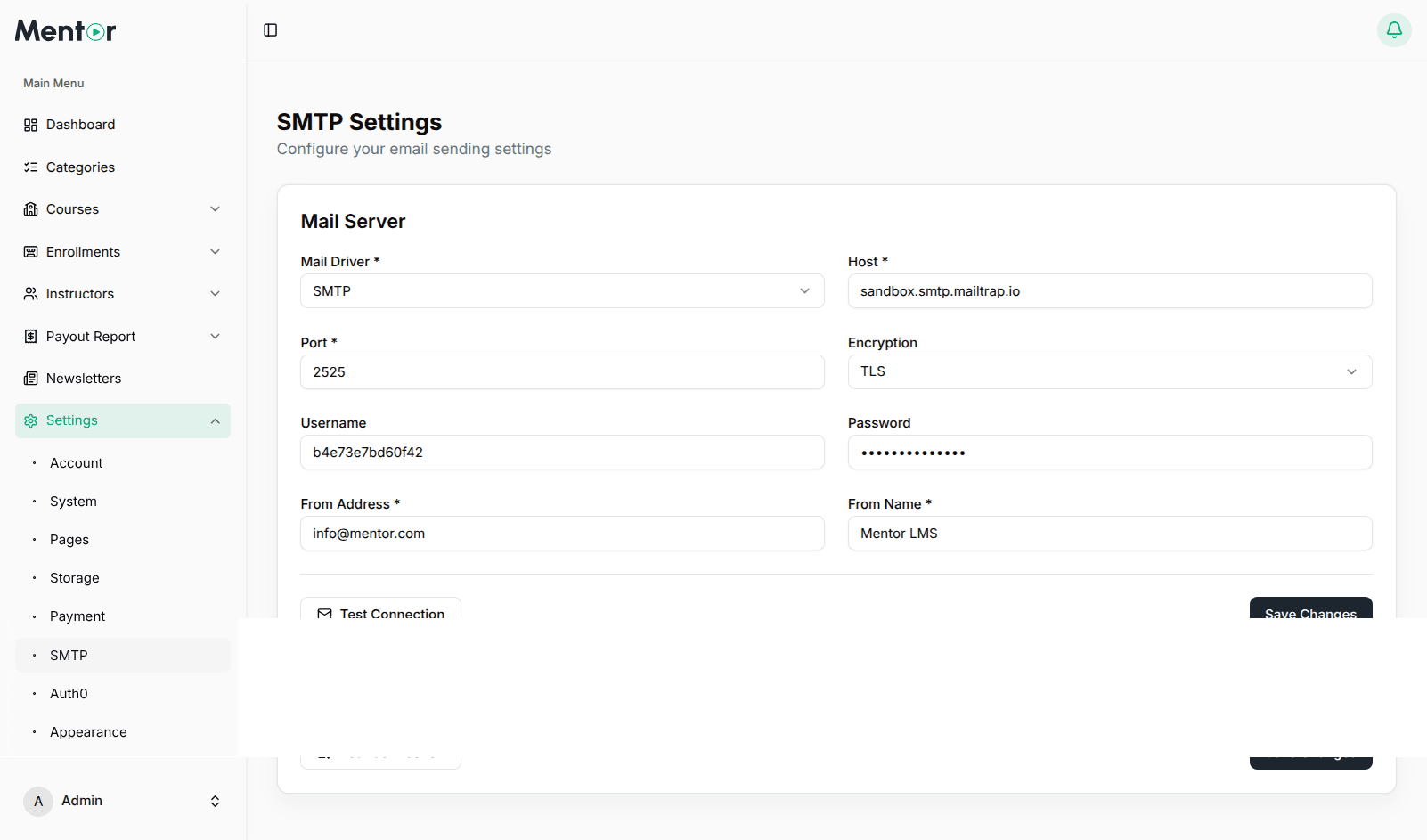
SMTP Configuration
| Field | Description |
|---|---|
| SMTP Host | Mail server hostname (e.g., smtp.gmail.com) |
| SMTP Port | 587 for TLS, 465 for SSL |
| SMTP Security | tls, ssl, or none |
| SMTP Username | Your email account username |
| SMTP Password | Your email account password or app password |
| From Email | The sender email address |
| From Name | The sender display name |
Test Configuration
- Click Send Test Email
- Enter a recipient email address
- Click Send Test and verify the recipient inbox
Common SMTP Providers
Gmail
SMTP Host:     smtp.gmail.com
SMTP Port:     587
SMTP Security: tls
Username:      your.email@gmail.com
Password:      your-app-password
App Password Required
You MUST use a Gmail App Password — not your regular Gmail password. Create one here (requires 2-Step Verification to be enabled).
Shared Hosting
SMTP Host:     mail.yourdomain.com
SMTP Port:     587
SMTP Security: tls
Username:      admin@yourdomain.com
Password:      Your email account password
Amazon SES
SMTP Host:     email-smtp.us-east-1.amazonaws.com
SMTP Port:     587
SMTP Security: tls
Username:      Your SES SMTP username
Password:      Your SES SMTP password
Mailgun
SMTP Host:     smtp.mailgun.org
SMTP Port:     587
SMTP Security: tls
Username:      postmaster@yourdomain
Password:      Your Mailgun SMTP password
SendGrid
SMTP Host:     smtp.sendgrid.net
SMTP Port:     587
SMTP Security: tls
Username:      apikey
Password:      Your SendGrid API Key
Troubleshooting
- Check credentials — Verify your SMTP username and password are correct
- Verify port — Ensure your server allows connections on the specified port
- Try different security — Switch between TLS and SSL
- Check spam folder — Test emails may be flagged as spam
- Hosting restrictions — Some hosts restrict outgoing SMTP connections
Best Practices
- Use a dedicated email address for system notifications
- Use your site's domain email for better deliverability
- For high-volume sites, use Mailgun, SendGrid, or Amazon SES
- Configure SPF and DKIM records to improve email deliverability