Configuration
Page Settings
Manage homepage templates and custom pages in Mentor LMS.
Mentor LMS provides flexible page management with pre-designed homepage templates and custom page creation capabilities.
Accessing Page Settings
- Log in to your admin dashboard
- Navigate to Settings → Pages
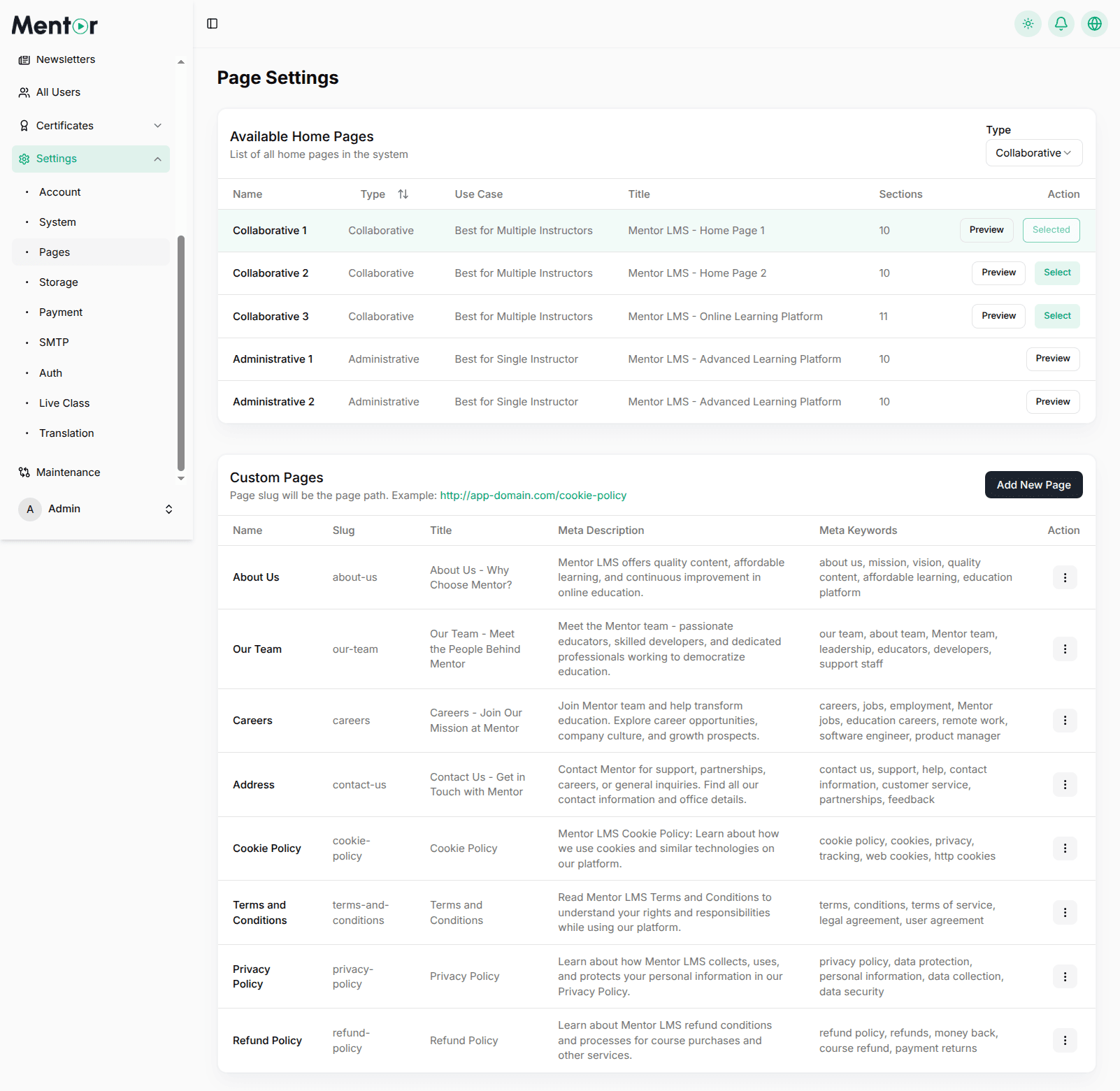
Available Homepage Templates
Collaborative Templates
Designed for platforms with multiple instructors:
| Template | Sections | Best For |
|---|---|---|
| Collaborative 1 | 10 | Multiple Instructors |
| Collaborative 2 | 10 | Multiple Instructors |
| Collaborative 3 | 11 | Online Learning Platform |
Administrative Templates
Optimized for single-instructor platforms:
| Template | Sections | Best For |
|---|---|---|
| Administrative 1 | 10 | Single Instructor |
| Administrative 2 | 10 | Single Instructor |
Custom Pages
The Custom Pages section lets you create additional pages with SEO optimization.
Pre-configured Pages
- About Us (
/about-us) - Our Team (
/our-team) - Careers (
/careers) - Address (
/contact-us) - Cookie Policy (
/cookie-policy) - Terms and Conditions (
/terms-and-conditions) - Privacy Policy (
/privacy-policy) - Refund Policy (
/refund-policy)
Creating a New Custom Page
- Click Add New Page
- Fill in the required fields:
- Name — Page display name
- Slug — URL path (e.g.,
cookie-policy→/cookie-policy) - Title — SEO-optimized page title
- Meta Description — Brief description for search engines (150–160 characters)
- Meta Keywords — Comma-separated keywords
- Click Save
Page Slug Format
The slug becomes your page URL path. A slug of cookie-policy will be accessible at https://your-domain.com/cookie-policy.
Managing Custom Pages
For each custom page you can:
- Edit — Modify page content via the three-dot menu
- Delete — Remove pages that are no longer needed
- View — Visit the page on your live site