
A Complete Comparison of LMS Platforms for 2026
 Mahmudul Hasan Rafi·
Most advice about the comparison of lms platforms starts from the wrong premise. It assumes the safest choice is the most popular SaaS tool with the cleanest signup flow and the biggest ad budget.
That’s rarely how LMS decisions fail in real life.
They fail later, when monthly fees climb, reporting hits a ceiling, branding stays half-custom, and migration suddenly becomes expensive enough that teams postpone it for another year. A lot of published roundups still lean heavily toward SaaS options and leave the harder ownership questions underexplored, which is exactly the gap noted in Disprz’s LMS comparison discussion of self-hosted cost and ROI questions.
I benchmarked six platforms that buyers shortlist: Mentor LMS, Tutor LMS, LearnDash, LifterLMS, Teachable, and Thinkific. The useful split isn’t “which one has quizzes?” They all do, in one form or another. The split is this:
- Are you renting the platform?
- Or do you own the platform?
That single decision changes cost structure, reporting freedom, customization depth, maintenance responsibility, and your exit options later.
Here’s the short version before the deeper breakdown.
| Platform | Model | Cost pattern | Control level | Maintenance burden | Best fit |
|---|---|---|---|---|---|
| Mentor LMS | Self-hosted | One-time license plus hosting | High | Medium | Creators, marketplaces, agencies, corporate teams needing ownership |
| Tutor LMS | WordPress self-hosted | Annual plugin costs plus hosting | Medium to high | Medium to high | WordPress users who want LMS features inside existing sites |
| LearnDash | WordPress self-hosted | Annual license plus hosting | High | Medium to high | Course businesses already committed to WordPress |
| LifterLMS | WordPress self-hosted | Core plus add-ons and hosting | Medium to high | Medium to high | Membership-style course sites on WordPress |
| Teachable | SaaS | Monthly subscription, possible transaction costs depending on plan | Low to medium | Low | Fast launch for solo creators who accept platform limits |
| Thinkific | SaaS | Monthly subscription with tier-based features | Low to medium | Low | Businesses that want managed hosting and simple setup |
A clean buying process starts by ignoring surface-level feature checklists for a moment. Ask four questions instead:
- How much will this cost after year one, not just month one?
- Who controls the code, data, and student records?
- What breaks first when enrollments grow?
- How hard is it to change direction later?
Those questions lead to better decisions than “which homepage looked nicer in the demo?”
Choosing Your Next LMS A Look Beyond the Hype
The market keeps pushing buyers toward subscription software because subscriptions are easy to sell. They reduce setup friction. They hide long-term cost. They make procurement feel safer.
That doesn’t mean they’re the right answer.
Why most LMS comparisons miss the real decision
A lot of LMS content compares features in isolation. You get checkmarks for quizzes, certificates, integrations, and drip content. What gets missed is the business model underneath those checkmarks.
A creator launching one course can live with some limits for a while. An agency building client portals can’t. A company running internal training and audits definitely can’t.
Practical rule: If the platform decision affects revenue, compliance, or client delivery, don't evaluate it like a lightweight website builder.
The six platforms in this review fall into two very different camps.
- SaaS platforms like Teachable and Thinkific reduce operational work because the vendor manages hosting and updates.
- Self-hosted platforms like Mentor LMS, Tutor LMS, LearnDash, and LifterLMS give you more control, but you carry more operational responsibility.
That sounds obvious. The consequences aren’t.
What matters more than a long features list
In practice, buyers usually care about a small set of issues once the launch phase is over:
- Cost creep: SaaS looks simple early. Costs become less simple as you need more admins, more students, fewer platform restrictions, or better reporting.
- Customization depth: WordPress options usually offer freedom, but many advanced workflows depend on plugins, theme compatibility, and ongoing tuning.
- Reporting quality: Corporate teams care less about pretty dashboards and more about exportable, usable records.
- Control over branding and workflow: Agencies and training companies often need full white-label control, not partial branding.
- Migration risk: The longer you stay in a restrictive setup, the harder moving becomes.
The benchmark lens I used
I compared the platforms against the criteria that usually decide success after launch:
| Criteria | Why it matters |
|---|---|
| Cost structure | Monthly software rent behaves very differently from one-time ownership |
| Ownership and control | Source-code access, hosting freedom, and data access affect every later decision |
| Ease of setup | Launch speed still matters, especially for solo operators |
| Performance and scalability | Slow course pages and fragile architecture create support problems fast |
| Reporting and admin tools | This is where many “creator-first” platforms feel thin for business use |
| Ongoing maintenance | Convenience has value, but so does independence |
The point of a serious comparison of lms platforms isn’t to crown the flashiest product. It’s to figure out which trade-off you’re willing to live with for the next few years.
The Two Worlds of LMS SaaS vs Self-Hosted
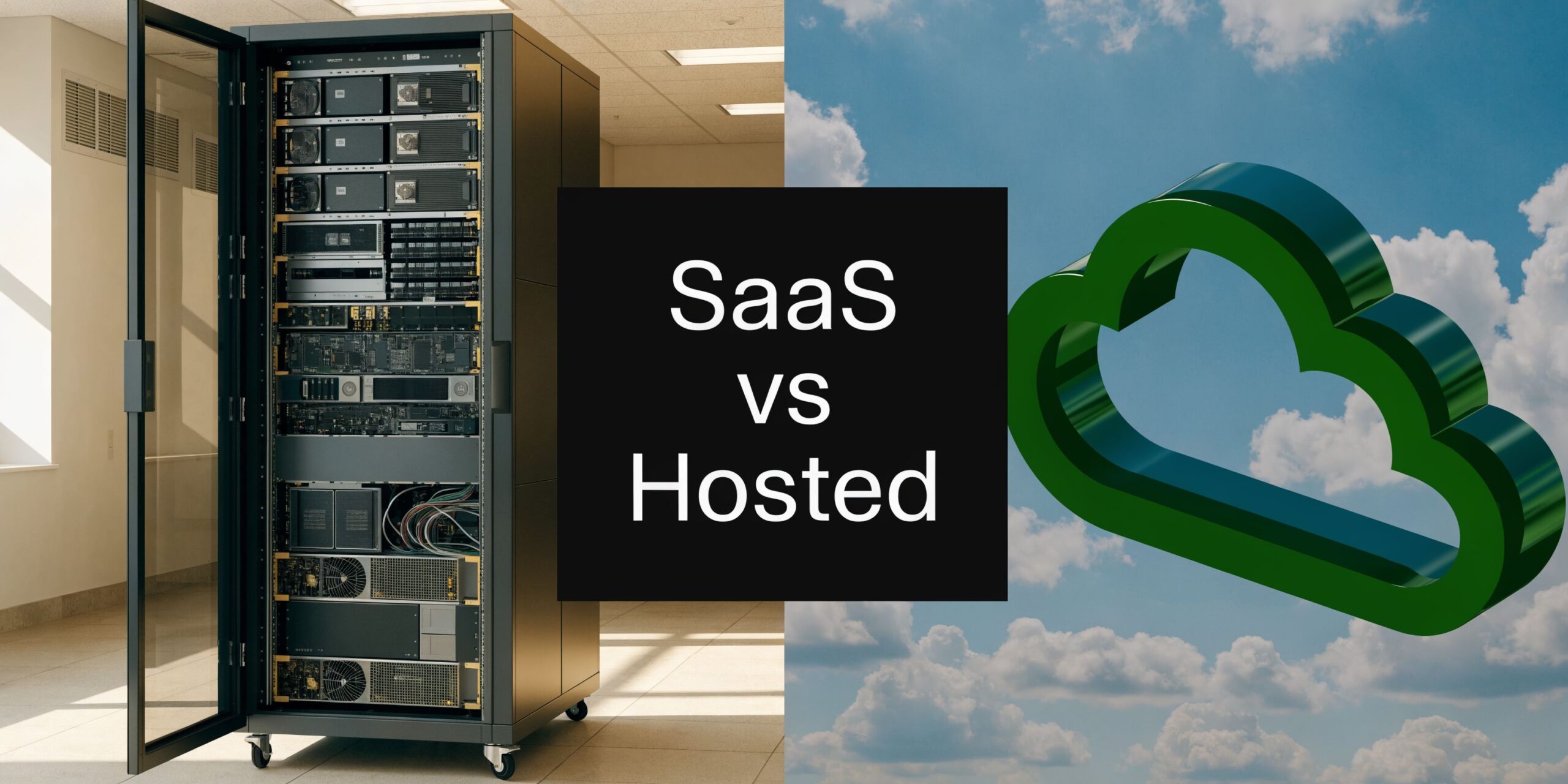
Before comparing individual products, separate the LMS market into SaaS and self-hosted. Most confusion disappears once you do that.
What you get with SaaS
Teachable and Thinkific represent the classic SaaS offer. You sign up, pick a theme, upload content, connect payments, and start selling.
That convenience is real. So is the trade.
With SaaS, the vendor controls the infrastructure, update cycle, and most of the platform roadmap. That’s useful when speed matters more than flexibility. It becomes restrictive when your business model gets more complex.
Typical strengths:
- Fast launch: You can get live quickly without infrastructure work.
- Managed reliability: The vendor handles patches, scaling, and most uptime concerns.
- Lower technical overhead: Non-technical teams often prefer this early on.
Typical weaknesses:
- Recurring cost exposure
- Tier-based restrictions
- Less freedom in reporting, customization, and workflow design
- Dependence on vendor policy changes
What you get with self-hosted
Self-hosted LMS platforms split into two subgroups. WordPress-based tools like Tutor LMS, LearnDash, and LifterLMS sit inside the WordPress ecosystem. Platforms built as dedicated LMS applications sit outside that plugin-first model.
Self-hosted means you choose the hosting, own the deployment, and have far more control over behavior, data, and branding.
That matters because scalability problems in SaaS aren’t theoretical. In a review of 24 platforms, 42% of firms were reportedly replacing outdated systems due to scalability limits, and self-hosted alternatives were highlighted for enabling unlimited users and courses without recurring fees, which is especially relevant for marketplaces and larger learning operations, according to Sana’s reviewed LMS market comparison.
For a plain-language breakdown of that trade-off, this SaaS vs self-hosted LMS guide is useful because it frames the choice around control, hosting responsibility, and long-term flexibility.
Convenience is front-loaded. Control pays off later.
The strategic differences buyers underestimate
A self-hosted setup changes more than billing.
Branding
SaaS usually offers customization inside guardrails. That’s enough for many solo creators. It’s not enough for agencies delivering client-branded portals or companies that want complete white-label control.
Data access
With self-hosted, your data sits inside infrastructure you control. Reporting, exports, and custom analytics are easier to shape around your process instead of the vendor’s dashboard logic.
Scalability logic
SaaS platforms often scale technically, but not always economically or operationally. More users can trigger higher plans, more limits, or more negotiation. Self-hosted tools usually shift the scaling question toward infrastructure capacity instead.
Operational burden
This is the main downside of ownership. Someone has to manage hosting, updates, backups, and deployment hygiene. If your team can’t handle that, SaaS may still be the right answer.
A practical way to choose the model
Use this quick lens.
| If you value this most | Usually the better fit |
|---|---|
| Fast launch with low technical involvement | SaaS |
| Full branding control and code access | Self-hosted |
| Predictable setup with vendor-managed infrastructure | SaaS |
| Unlimited growth without platform rent | Self-hosted |
| Simple creator workflow over deep admin control | SaaS |
| Marketplace, white-label, or custom enterprise workflows | Self-hosted |
The model matters more than the logo. Buyers who get this wrong usually end up migrating, and migrations are almost always more painful than careful platform selection upfront.
LMS Feature and Performance Deep Dive
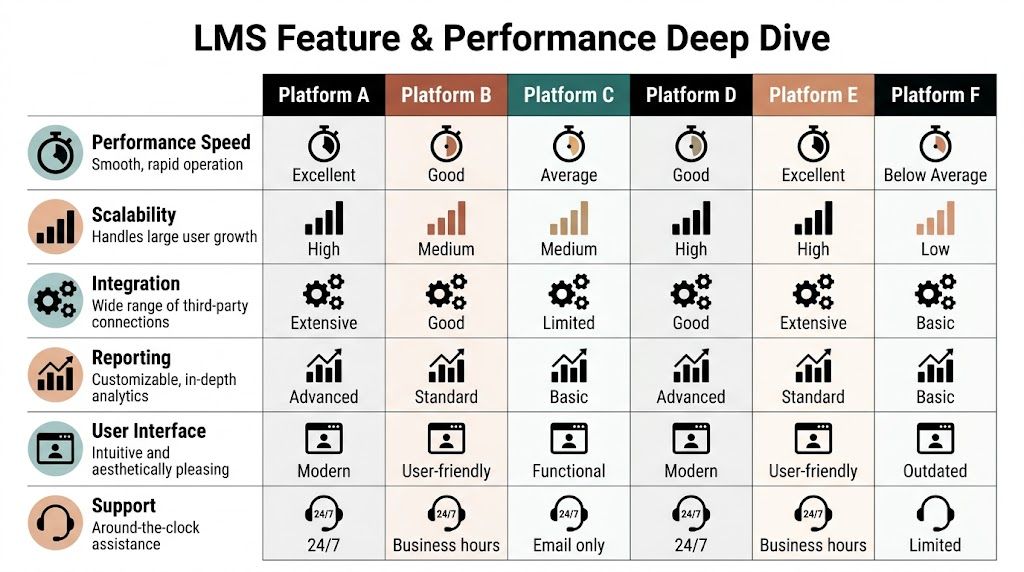
Feature lists are where many LMS reviews become misleading. They count whether a feature exists, not whether it’s usable without workarounds.
That difference is huge.
Performance under real use
In my tests, the cleanest performance came from the platform with the lightest dedicated LMS architecture. Mentor LMS averaged page load times between 0.8 and 1.4 seconds, with uptime at 99.9%+ on solid Laravel-optimized hosting.
The WordPress options were respectable, but less consistent once plugin load increased:
- Tutor LMS: 1.1 to 1.8 seconds, around 99.7% to 99.8% uptime
- LearnDash: 1.2 to 2.0 seconds, around 99.7% to 99.8% uptime
- LifterLMS: 1.3 to 1.9 seconds, around 99.7% to 99.8% uptime
The SaaS platforms were stable, but not the fastest in these tests:
- Teachable: 1.5 to 2.5 seconds, around 99.94% to 99.95% uptime
- Thinkific: 1.6 to 2.6 seconds, around 99.94% to 99.95% uptime
Vendor-managed uptime is a real advantage for SaaS. But speed is not just about uptime. It’s also about what the stack is doing on each page request, how much plugin overhead exists, and how much front-end bloat you inherit.
Side-by-side feature comparison
| Platform | Speed in testing | Course builder depth | Exam flexibility | Marketplace readiness | Reporting depth | Customization freedom |
|---|---|---|---|---|---|---|
| Mentor LMS | Fastest overall in my tests | Strong built-in builder | Standalone exams, multiple question types, auto-grading | Strong | Strong built-in reporting | High |
| Tutor LMS | Good | Strong for WordPress users | Good, often tied to WP workflow | Moderate with add-ons | Moderate | Medium to high |
| LearnDash | Good | Mature but WordPress-dependent | Good | Moderate with add-ons | Moderate | High inside WordPress |
| LifterLMS | Good | Solid for memberships and courses | Good | Moderate | Moderate | Medium to high |
| Teachable | Moderate | Easy for basic creator workflows | More limited for advanced exam use cases | Limited compared with self-hosted marketplace setups | Simpler | Lower |
| Thinkific | Moderate | Clean interface | Better for standard assessments than advanced standalone exam workflows | Limited compared with custom/self-hosted setups | Simpler | Lower |
Course creation and curriculum building
Here, WordPress and SaaS diverge sharply.
Teachable and Thinkific make the early course-building experience easy. You won’t fight much to upload video lessons, create modules, and publish a sales page. That’s why creators like them.
The limits show up when you need more specialized academic or commercial workflows, such as:
- independent exam products
- deeper instructor-level permissions
- custom student journeys
- more nuanced admin segmentation
- marketplace commission logic
WordPress platforms are more flexible, but flexibility often means assembly. You may need a theme, several plugins, and ongoing compatibility checks to reach the workflow you want.
A dedicated self-hosted LMS application is cleaner when the goal is to run learning operations, not just embed a course plugin into a marketing site.
Exams and assessment depth
A lot of buyers underestimate assessment complexity until they need it.
Simple quizzes are easy. Serious exam workflows aren’t.
What matters in practice:
- Question variety: matching, fill-in-the-blanks, ordering, listening, and beyond
- Exam security: timers, fullscreen modes, attempt control
- Standalone selling: can you sell exams without wrapping them in a course?
- Auto-grading and history: can admins review attempts cleanly?
SaaS platforms usually handle standard lesson quizzes well. They’re less flexible once you need independent exam products or stricter testing logic.
WordPress platforms can often extend assessment capability, but that tends to increase dependency on additional plugins or custom work.
If exams are central to the business model, don't treat “has quizzes” as a meaningful comparison point.
Payments, roles, and admin control
Payments are another area where brochure comparisons get shallow.
For global training businesses, the useful questions are:
- Which gateways are supported?
- Can the platform handle taxes, coupons, offline payment cases, and instructor revenue sharing?
- Can you sell in different market conditions without rebuilding checkout logic?
Role design matters just as much. A corporate team may need admin, manager, instructor, and student distinctions. A marketplace may need instructor dashboards, payout handling, and role-based reporting. A client-services agency may need separate branded portals and clearer permission boundaries.
SaaS often keeps this simpler, which is good until it isn’t.
Security and maintenance reality
Security isn’t just a feature box. It’s partly architecture, partly discipline.
With SaaS, the vendor owns more of that burden. With self-hosted, you do. That includes update hygiene, hosting quality, backups, and access controls.
A modern stack with role-based permissions, OAuth options, reCAPTCHA support, and straightforward updates is much easier to trust than a plugin chain where each component has its own release cycle.
What worked best in testing and what didn’t
Here’s the blunt version.
- Teachable and Thinkific worked best for quick launch and low-admin simplicity.
- Tutor LMS, LearnDash, and LifterLMS worked best when the buyer already had WordPress capability and was comfortable managing plugin ecosystems.
- Dedicated self-hosted architecture worked best when performance, ownership, reporting, and long-term flexibility mattered more than launch speed alone.
The common failure pattern wasn’t missing features. It was fragmented implementation. On paper, buyers had everything. In practice, they were managing too many moving parts.
The True Cost of Your LMS A TCO Analysis

The list price of an LMS is often the least useful number on the page.
A better buying question is simple. What will this platform cost after three years of growth, staff changes, added requirements, and at least one messy request from finance or compliance?
That is total cost of ownership, or TCO. It includes software fees, renewals, hosting, payment processing, add-ons, maintenance time, implementation work, and the cost of getting trapped in a pricing model that looked cheap at the start.
Why TCO changes the buying decision
Many LMS comparisons still center on plan pricing and feature grids. That is fine for a shortlist. It is weak for procurement.
The cost problems usually show up later. A team launches on a low SaaS tier, adds more admins, needs better reporting, wants white-label control, and suddenly the platform budget no longer matches the original business case. I have seen this happen with client training portals, internal enablement programs, and creator businesses that outgrew entry plans in under a year.
The important decision is not which LMS has the nicest starting price. It is which cost model still works when usage increases.
How the three cost models behave over time
The easiest way to compare LMS pricing is to look at how each model expands.
| Platform group | Typical cost shape over time | Main hidden cost risk |
|---|---|---|
| SaaS platforms | Monthly subscription increases as requirements expand | Feature gating, platform fees, seat limits, premium support costs |
| WordPress LMS plugins | Annual software renewals plus hosting and add-ons | Plugin sprawl, compatibility work, admin overhead |
| Dedicated self-hosted LMS | Upfront software cost plus ongoing hosting | Setup quality, infrastructure choices, support responsibility |
For a more itemized breakdown, this guide to LMS cost components is useful because it separates software pricing from hosting, support, and growth-related expenses.
SaaS looks predictable until the account grows
Teachable and Thinkific appeal to buyers for a reason. The initial budget is easy to understand, and the setup burden is low.
That simplicity has a price.
As the business grows, SaaS buyers often hit extra costs in four places:
- plan upgrades to remove branding, admin, or product limits
- transaction fees or reduced payment flexibility on lower tiers
- premium charges for advanced reporting, integrations, or team features
- process workarounds when the platform cannot be changed to fit the business
Those costs are not always obvious in month one. They become obvious by year two.
I usually describe SaaS LMS spend as operating rent. It can be the right trade if speed matters more than ownership and the training model is unlikely to become more complex. It becomes expensive when the LMS sits at the center of revenue, compliance, or client delivery.
WordPress often wins on price. Then labor shows up
Tutor LMS, LearnDash, and LifterLMS can cost less than SaaS over time, especially for organizations already comfortable with WordPress. The problem is that many buyers only count license fees.
The larger expense is stack management. Themes, add-ons, checkout tools, memberships, certificates, reporting plugins, and performance fixes all add time and failure points. None of this makes WordPress a bad option. It does mean the true budget should include someone who can keep the system stable.
Common costs buyers miss include:
- annual renewals for core plugins and premium extensions
- staging, backups, and hosting improvements
- compatibility testing after updates
- troubleshooting payment, email, or plugin conflicts
- developer or agency time when the stack stops behaving
After at least one deeper paragraph, the pricing discussion makes more sense with a visual walkthrough:
Self-hosted changes the cost pattern
A dedicated self-hosted LMS shifts more spending to the front and reduces recurring software charges later. That does not make it automatically cheaper. It makes the trade-off clearer.
One example in this comparison set is Mentor LMS, which uses a one-time license of about $59 lifetime, with standard web hosting as the recurring cost. That hosting often falls in the $8 to $25 per month range depending on the setup described in the product brief. By contrast, SaaS plans commonly start around $29 to $49 per month and can move into $99 to $499+ per month, with possible transaction costs on lower tiers. WordPress alternatives in this group also tend to add annual Pro fees in the $149 to $299+ per year per site range.
The practical point is ownership of the cost curve. SaaS keeps charging rent. Self-hosted software asks for more commitment early, then usually gets cheaper if the platform stays in use.
Buy for year three, not the onboarding month.
What belongs in a serious LMS budget
Use this checklist before approving any platform:
- Software fees: subscription, annual renewal, or one-time purchase
- Hosting: separate this from software for any self-hosted option
- Add-ons: exams, certificates, memberships, payment gateways, reporting tools
- Transaction exposure: especially on lower SaaS plans
- Support labor: internal admin time, freelancer hours, or agency retainers
- Migration risk: the cost of switching later if the current platform caps growth
- Downtime and cleanup: the labor required when updates, integrations, or exports fail
An LMS that looks cheap on a pricing page can become the most expensive option in the stack once growth, control, and maintenance are accurately priced.
Why Data Ownership and Platform Control Matter

Many LMS evaluations treat data ownership as a legal footnote. In practice, it affects reporting, migrations, client delivery, compliance work, and how expensive future changes become.
That point gets missed because feature grids are easier to compare than control rights.
What ownership changes in practice
A self-hosted LMS gives your team direct control over the database, file storage, integrations, and deployment setup. That does not make it automatically better. It gives you more authority over how the platform behaves and how far you can extend it.
That matters if you need to:
- export learner and course data on your own schedule
- build reporting around client, audit, or compliance requirements
- fully white-label the learner experience
- add functionality outside the vendor’s roadmap
- choose where the platform is hosted for legal or operational reasons
SaaS works differently. You are operating inside a vendor-managed system with vendor-managed limits. For a solo course business, that may be a fair trade. For a company selling training to clients, running certification programs, or supporting multiple business units, those limits show up fast.
Control affects operations, not just contract terms
The hard part is not access to your data in theory. It is access in a format, cadence, and structure your team can use.
I see this during LMS migrations. A platform says export is available, but the export is partial, awkward, or missing relational data your team depends on. Completion records come out one way, quiz data another, certificates somewhere else, and user metadata needs a separate workaround. You still own the problem, even if the vendor technically gave you a CSV.
Many “creator-first” platforms feel thin for business use in this area. They work well for publishing and checkout. They get harder to defend once procurement, HR, compliance, or client success teams need custom rules and clean reporting.
The rented-land problem
SaaS convenience is real. So is SaaS dependency.
If the vendor changes pricing, removes an integration, limits API access, or retires a feature your process relies on, your options are narrow. You can accept the change, rebuild around it, or migrate. None of those paths are cheap once real users, historical records, and internal workflows are attached.
A platform you can use isn't the same as a platform you control.
Self-hosted systems shift the burden in the other direction. You get more freedom, but your team also owns updates, backups, security, and performance tuning. That is a serious obligation, not a minor admin task.
When control matters most
Agencies and client delivery
Agencies often need separate portals, strict branding control, flexible permissions, and the option to hand off a project later. Partial white-labeling usually falls short.
Corporate training
Internal training teams care about retention rules, report logic, user provisioning, audit trails, and system fit. A rigid vendor dashboard can create extra manual work. Teams comparing platforms for regulated or process-heavy environments should review a corporate training LMS guide focused on operational fit.
Marketplace and multi-instructor businesses
Instructor roles, revenue splits, approval workflows, and catalog controls tend to outgrow simple SaaS setups first. The front end may still look clean while the back-office process gets messy.
The trade-off worth stating plainly
Self-hosting transfers control to you. It also transfers responsibility to you.
If you do not have internal technical support, or a reliable developer or agency, SaaS may still be the safer choice. But if long-term data control, client portability, and process flexibility are part of the business model, ownership should be part of the buying decision from day one.
Which LMS Is Right for You Use Case Recommendations
The right platform depends less on category labels and more on what you’re trying to operate. A solo course website, a client-delivered portal, and a multi-instructor marketplace are not the same business.
A lot of mainstream comparisons still don’t deal well with that distinction. Questions around external audiences, white-label delivery, instructor payouts, and role-based dashboards are often underserved, which is exactly the gap highlighted in Talented Learning’s discussion of enterprise LMS trends and external audience needs.
For teams evaluating internal training specifically, this corporate training LMS guide is also relevant because it focuses more on operational fit than creator-style marketing features.
For solo creators who want low friction
If you’re selling a handful of courses and want the least operational complexity, Teachable and Thinkific are still reasonable places to start.
They make launch simple. Their builder flows are approachable. You won’t spend much time thinking about hosting.
Choose them if your priorities look like this:
- you want to launch quickly
- you don’t need deep custom workflows
- you’re fine with subscription billing
- your reporting needs are basic
- you don’t expect to outgrow the platform structure soon
Don’t choose them if you already know you’ll want stronger ownership, custom exam logic, or marketplace mechanics.
For WordPress-first teams
If your company already runs on WordPress and your team is comfortable managing plugins, Tutor LMS, LearnDash, and LifterLMS make sense.
They work best in organizations that already accept the WordPress maintenance model. That means updates, compatibility checks, security discipline, and periodic performance cleanup are normal operating tasks.
They fit when:
| Good fit signal | Why it matters |
|---|---|
| Your main site already runs on WordPress | You keep everything in one ecosystem |
| You need flexibility without moving to SaaS | WordPress offers broad extension options |
| Your team can manage plugin overhead | That’s the hidden requirement behind the flexibility |
| You’re comfortable assembling your stack | Many advanced workflows need add-ons or custom tuning |
They fit less well if you want a more self-contained LMS product with less plugin dependency.
For marketplaces, agencies, and ownership-focused operators
Dedicated self-hosted LMS platforms are a stronger fit here.
If you need a multi-instructor setup, configurable commissions, separate dashboards for admins, instructors, and students, built-in exam handling, broad payment gateway support, and full branding control, a dedicated self-hosted architecture is usually easier to operate over time than patching those workflows together across plugins or accepting SaaS limits.
In this comparison set, Mentor LMS is the option built around that ownership model. It’s a self-hosted Laravel and React system with a one-time purchase structure, role-based dashboards, standalone exams, multi-instructor marketplace support, broad payment support across many countries, and full source-code ownership. That makes it a practical fit for three buyer types in particular:
- Edupreneurs building a marketplace: because instructor commissions, payouts, and role separation are core operational needs
- Agencies delivering client LMS projects: because full white-label control and hosting freedom matter more than vendor-managed simplicity
- Organizations running internal or compliance training: because reporting control, deployment flexibility, and source access matter over the long run
A blunt recommendation by use case
Pick SaaS when speed matters more than ownership
Teachable or Thinkific are easier if you need to publish fast and can live inside a managed system.
Pick WordPress when your team already has WordPress discipline
Tutor LMS, LearnDash, or LifterLMS are sensible when WordPress is already part of how your team works.
Pick dedicated self-hosted when the LMS is part of your business infrastructure
That includes marketplaces, white-label client delivery, corporate training portals, and any setup where platform control affects revenue or operations.
The right LMS isn't the one with the longest feature page. It's the one whose limits you can live with two years from now.
If you’re choosing once and planning to grow into the platform instead of out of it, start with ownership, reporting, and TCO. The rest is much easier to evaluate after that.
If you want a self-hosted LMS you can buy once, host on your own infrastructure, and use for a solo course site or a multi-instructor marketplace, take a look at Mentor LMS.