
Best LMS for Corporate Training: Expert Guide 2026
 Mahmudul Hasan Rafi·
A lot of teams start looking for the best lms for corporate training only after something breaks.
It's an audit request, a missed renewal, or a manager asking for a simple answer that turns into a week of manual checking. Who completed the policy course. Who failed the assessment. Which certificates expired. Which department is exposed right now.
That’s when the difference between a basic training tool and a corporate LMS becomes obvious. In corporate environments, the LMS isn’t just a content library. It’s a system of record, a reporting layer, and in regulated businesses, part of your audit defense.
The hard part is that most buying guides flatten the decision into a feature checklist. That’s not how rollouts work. The choice comes down to cost structure, reporting depth, data control, and how much flexibility you’ll need once auditors, HR, legal, and line managers all start asking for different things.
Here’s a practical comparison to frame the market before we go deeper.
| Platform | Deployment model | Strong fit | Main trade-off |
|---|---|---|---|
| Docebo | SaaS | Large enterprises needing scale, AI features, and HRIS connectivity | Recurring spend and less direct control over the underlying system |
| Absorb LMS | SaaS | Mid-market to enterprise teams that want a broad feature set | Custom reporting can be less flexible than some buyers expect |
| SAP Litmos | SaaS | Fast launches with built-in content and simple rollout needs | Better for speed than for deep tailoring |
| TalentLMS | SaaS | Smaller teams that need ease of use and lower entry cost | Can feel limiting as compliance and reporting needs become more complex |
| 360Learning | SaaS | Collaborative training, peer authoring, and frontline delivery | Works best when the organization is ready for a more participatory learning model |
| Self-hosted LMS | Self-hosted | Organizations prioritizing ownership, data control, and custom compliance workflows | Requires hosting, implementation planning, and ongoing maintenance |
Is Your Training Program Ready for an Audit?
The pattern is familiar. A compliance lead gets notice of an upcoming review. The training manager opens a spreadsheet that was supposed to be temporary. Certificates live in one folder. Assessment scores sit in another export. Reminder emails were sent manually. A few completions were tracked by managers over chat because the original enrollment workflow never got fixed.
At that point, the problem isn’t “we need better learning content.” The problem is you can’t prove what happened, when it happened, and who did it.
Auditors don’t care how hard your team worked to keep things organized. They care whether the evidence is clean, complete, and easy to verify. If you want a good plain-language breakdown of what acceptable proof looks like, this guide to Audit Evidence is worth reviewing before you evaluate any platform.
What breaks first in manual systems
Manual-first training operations fail in predictable ways:
- Completion records drift: One team updates the spreadsheet, another forgets.
- Certificates become hard to validate: File names change, exports get duplicated, and version control disappears.
- Renewals get missed: Annual retraining is easy to forget when reminders depend on one administrator.
- Managers lose confidence: They stop trusting dashboard summaries if they know exceptions are tracked elsewhere.
Practical rule: If your audit proof depends on spreadsheets plus memory, you don’t have a reliable compliance process.
A corporate LMS fixes this only if it stores the right events and makes them retrievable fast. You need learner-level completion records, timestamps, scores, certificates, and reporting that can be exported without cleanup. You also need support for standard content packages, because many corporate libraries and compliance vendors still deliver training in formats explained in this overview of a https://mentor-lms.com/blog/what-is-a-scorm-file.
What audit-ready looks like
An audit-ready setup is boring in the best way. You assign training by role or department. The system tracks completions automatically. Certificates issue on completion. Renewal reminders go out before expiry. Reports can be filtered by employee, team, or course without rebuilding the data by hand.
This is why companies search for the best lms for corporate training. They’re not shopping for shiny features. They’re trying to replace training chaos with a defensible record.
Key LMS Evaluation Criteria for Corporate Needs
The fastest way to buy the wrong LMS is to evaluate it like a course player.
Corporate teams need a system that supports audits, workforce changes, multiple stakeholders, and routine reporting requests that never show up in vendor demos. If you’re comparing platforms, score them on operational fit first.

Reporting that stands up under pressure
Reporting is where many LMS evaluations go wrong. Buyers see a dashboard and assume it’s enough. It isn’t.
For compliance-heavy teams, the core questions are simple:
- Can you see individual completion history clearly
- Can you filter by department, location, or manager
- Can you export proof with dates, scores, and certificates
- Can you keep audit logs without manual reconstruction
Department-level and company-wide analytics matter too, but only after learner-level records are reliable. If the platform can summarize compliance status but can’t produce clean employee evidence, it will create work instead of removing it.
A useful budgeting lens is this breakdown of LMS ownership costs at https://mentor-lms.com/blog/cost-of-lms. It helps separate “looks affordable in month one” from “still makes sense after rollout.”
Compliance workflows that run without babysitting
A corporate LMS should reduce dependence on admin memory.
What I look for first in regulated environments:
- Automated certificates: The certificate should include the employee name, training title, and completion date without manual editing.
- Expiry tracking: Annual or recurring training needs reminders before the deadline, not after the miss.
- Assignment logic: Role-based or department-based enrollment prevents under-assignment when people move teams.
- Audit-friendly exports: Reports should be usable as-is, not something your admin team has to reformat every quarter.
If the platform can’t handle expiry cycles cleanly, your team will end up rebuilding the process outside the LMS.
Content compatibility and evidence depth
SCORM support is still important in corporate buying. xAPI matters when you want richer tracking across blended learning, external tools, or live activities. Even if you don’t need advanced tracking today, content standards protect your options later.
This is one reason 360Learning gets attention from larger organizations. In its enterprise LMS review, 360Learning says its skills dashboards track progress at team level with xAPI integrations, and it reports completion rates averaging 85% versus a 70% LMS baseline, learner satisfaction of 4.7/5, and 98% uptime on iOS and Android. The same review notes that peer-driven authoring can reduce content creation time by 50% and cites reported productivity gains of 15 to 20% in ROI calculations tied to exported reporting data (360Learning enterprise LMS review).
That doesn’t mean every corporate buyer should choose 360Learning. It does show what “serious reporting plus modern content workflows” looks like in practice.
Here’s a quick product explainer before we move deeper into deployment choices:
Security and admin control
Security questions get reduced to SSO. That’s too narrow.
You also need:
| Requirement | Why it matters |
|---|---|
| Role-based permissions | Training admins, managers, instructors, and auditors shouldn’t all see the same data |
| SSO support | Reduces login friction and aligns access with company identity tools |
| Data export capability | Critical when legal, compliance, or BI teams need direct access to records |
| User segmentation | Necessary for multi-country, multi-entity, or multi-department rollouts |
Many LMSs are good at learner experience. Fewer are good at admin reality. For corporate use, admin reality wins.
Deployment Showdown SaaS vs Self-Hosted LMS
An audit request changes this decision fast.
On Monday, a SaaS LMS can look like the obvious choice because rollout is quick and IT effort is light. On Thursday, legal asks for raw completion data by subsidiary, a custom retention rule, and proof that training records stayed in a specific region. That is the moment teams stop comparing feature lists and start looking at deployment risk, ownership, and total cost.
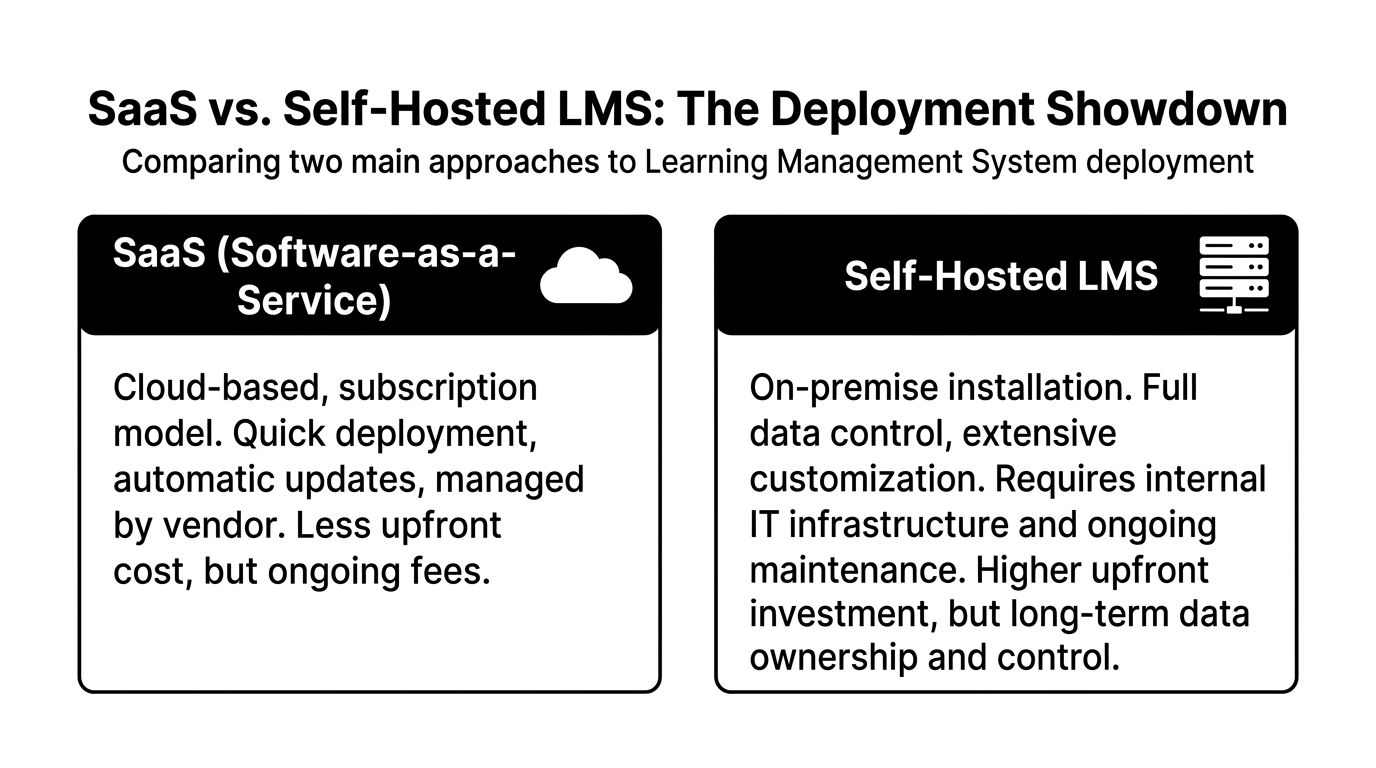
SaaS and self-hosted LMS platforms solve different corporate problems. The better fit depends less on course delivery and more on what happens when finance challenges renewal costs, compliance asks for unusual evidence, or the business outgrows standard workflows.
Where SaaS wins
SaaS works well when the company needs a platform live fast and can operate inside the vendor’s standard structure.
The appeal is clear. The vendor handles hosting, updates, uptime, and most of the security maintenance. That reduces pressure on internal IT and shortens the path from procurement to launch. For common use cases like onboarding, annual compliance, policy attestations, and manager training, that speed has real value.
It also fits organizations that already budget software as recurring operating spend and prefer to avoid infrastructure ownership.
Typical SaaS advantages:
- Faster launch: Less setup work and fewer technical decisions at the start
- Vendor-managed maintenance: Patches, upgrades, and platform monitoring stay off your team’s plate
- Lower internal IT load: Helpful for lean L&D teams without application support resources
- Cleaner short-term budgeting: Year-one approval is easier than a larger upfront investment
Where SaaS gets expensive or restrictive
The pressure shows up after rollout, not before.
Per-user or tiered pricing can be reasonable for a single audience. It gets harder to predict once you add contractors, channel partners, acquired business units, or regional training requirements. If you want a useful overview of recurring billing structures, this guide to SaaS pricing models is a helpful reference.
Cost is only part of the issue. In regulated environments, the bigger question is whether the platform can produce evidence the way your auditors, legal team, or internal controls team expect to see it.
Common friction points include:
- Custom report formats
- Raw data access limits
- Fixed retention settings
- Restricted workflow changes
- Dependence on the vendor roadmap for non-standard needs
I have seen teams approve a SaaS LMS because the demo looked polished, then spend months working around reporting gaps with spreadsheets and manual exports. Those workarounds belong in your TCO model. They consume admin hours, create audit risk, and rarely show up in the original business case.
Buyer warning: If compliance already asks for unusual exports or entity-specific rules, test those requests during the trial. “We can probably do that” is not an acceptable answer.
Where self-hosted wins
Self-hosted LMS platforms make more sense when training data is a governed business record, not just a learning metric.
You control the hosting environment, database access, backup policies, retention rules, and integration logic. That matters if you need records stored in a specific jurisdiction, want direct access for BI or audit teams, or expect workflow changes that do not fit a standard product roadmap.
Self-hosted changes the long-term cost curve. Instead of paying more each time usage expands, companies trade subscription growth for infrastructure, support, and administration costs they can plan with more confidence. That does not make self-hosted cheaper in every case. It does make the spending model easier to defend when user counts are volatile and compliance requirements keep expanding.
Self-hosted fits under these conditions:
| Business condition | Why self-hosted fits |
|---|---|
| Compliance evidence is closely reviewed | Teams may need custom logs, exports, and retention rules |
| User counts may expand sharply | Ongoing subscription growth becomes harder to control |
| Different entities follow different processes | Custom workflows matter more than speed of setup |
| Data residency is under legal review | Direct control over storage and access reduces exposure |
Where self-hosted creates work
Self-hosted shifts responsibility back to the buyer.
Someone has to manage hosting, upgrades, backups, security reviews, disaster recovery planning, and deployment coordination. That can sit with your internal IT team, an implementation partner, or the LMS vendor through a managed service arrangement. The work does not disappear. You choose who owns it and how much control you keep.
The key question isn't which model is better. The key question is which burden your organization can handle without creating audit problems or budget surprises.
- With SaaS, you reduce infrastructure work and accept platform boundaries.
- With self-hosted, you keep control and accept more implementation responsibility.
The practical TCO lens
For corporate training, the better LMS is seldom the one with the easiest first 90 days. It is the one that still works when the business adds entities, changes retention rules, faces an external audit, or asks for reporting the vendor did not design for.
SaaS wins on speed and early simplicity. Self-hosted wins when data control, audit evidence, and long-term cost predictability carry more weight than launch speed.
A simple audit test helps separate the two. If an auditor asks for a non-standard workflow, a custom evidence export, or direct record access, who can act immediately? Your team, or the vendor?
Top Corporate LMS Platforms Compared
An LMS comparison gets more useful when you stop asking which platform has the longest feature list and start asking a harder question: what will this system cost to run, defend, and adapt over three to five years?
That changes the shortlist fast. A platform that looks inexpensive in a sales demo can become costly once legal asks for retention controls, audit asks for evidence exports, and IT gets pulled into identity, security, and reporting work.
| Platform | Model | Pricing | Best For |
|---|---|---|---|
| Docebo | SaaS | Custom quote | Large enterprises needing scale, HRIS integrations, and structured automation |
| Absorb LMS | SaaS | Custom quote | Mid-market and enterprise teams balancing employee and external training |
| SAP Litmos | SaaS | Custom quote | Companies that need a fast rollout and built-in course content |
| TalentLMS | SaaS | Starts at $69/month | SMBs and hybrid teams prioritizing ease of administration |
| 360Learning | SaaS | Custom / plan-based depending on package | Teams that want subject matter experts involved in course creation |
| Mentor LMS | Self-hosted | One-time license | Organizations that want data control, custom compliance workflows, and steadier long-term cost |
Docebo for enterprise scale
Docebo is on the list when a company has complex structure already in place. Multiple business units, several languages, formal approval chains, and HRIS integration push buyers here.
The upside is operational maturity. Docebo is built for large rollouts, and the platform has depth for organizations that need automation, segmented audiences, and a polished admin environment. D2L includes Docebo in its review of corporate LMS options for enterprise use cases (D2L corporate LMS benchmarks).
The trade-off is familiar to anyone who has bought enterprise SaaS. Pricing is quote-based, configuration can get heavy, and unusual audit or reporting requests may depend on what the vendor allows natively. If your compliance team regularly asks for custom evidence packages, test that during procurement, not after launch.
Absorb LMS for balanced growth
Absorb fits organizations that have moved beyond basic training administration but do not want the weight of a larger enterprise suite.
I see it work well for companies training employees, partners, or customers in the same system. The interface is easier for stakeholders to accept than some older enterprise tools, which matters more than buyers admit. If managers and admins avoid the platform, adoption drops and reporting quality drops with it.
Its main risk is not feature poverty. It is edge-case reporting. For standard completions, enrollments, and recurring compliance assignments, Absorb handles the job. For buyer-specific audit templates, unusual export structures, or tightly controlled retention requirements, you need hands-on validation before signing.
SAP Litmos for fast launches
Litmos earns attention when the business has a deadline and little patience for a long implementation cycle.
Pre-built content and a straightforward setup make it attractive for compliance basics, sales enablement, and distributed teams that need training live fast. That can lower first-year effort, for companies replacing manual tracking or fragmented point solutions.
There is a cost to that speed. Litmos is a better fit for organizations willing to work within the platform’s model than for teams trying to shape the LMS around a specialized compliance process.
TalentLMS for smaller teams
TalentLMS is the practical answer for smaller training teams that need control without a large admin burden.
The low starting price helps get approval. The bigger reason companies choose it is simplicity. Admins can get courses live, assign training, and track completions without a long project plan. For a team trying to get out of spreadsheets, that matters.
As noted, TalentLMS is positioned as an affordable option. The trade-off shows up later. Once audit requests become more detailed, or the organization needs more complex approval logic and reporting, smaller SaaS platforms can feel restrictive.
360Learning for collaborative organizations
360Learning suits companies that want course creation closer to the business.
That model can work well when internal knowledge changes fast and L&D cannot afford long production cycles. Subject matter experts can contribute directly, which shortens the path from new process to live training.
Governance is a key question. In regulated environments, collaborative authoring works if version control, review permissions, and publishing rules are tightly managed. Otherwise you get faster content creation but weaker compliance discipline.
A self-hosted option for compliance-led teams
For companies that treat audit readiness as the final test, a self-hosted platform like Mentor LMS deserves a serious review.
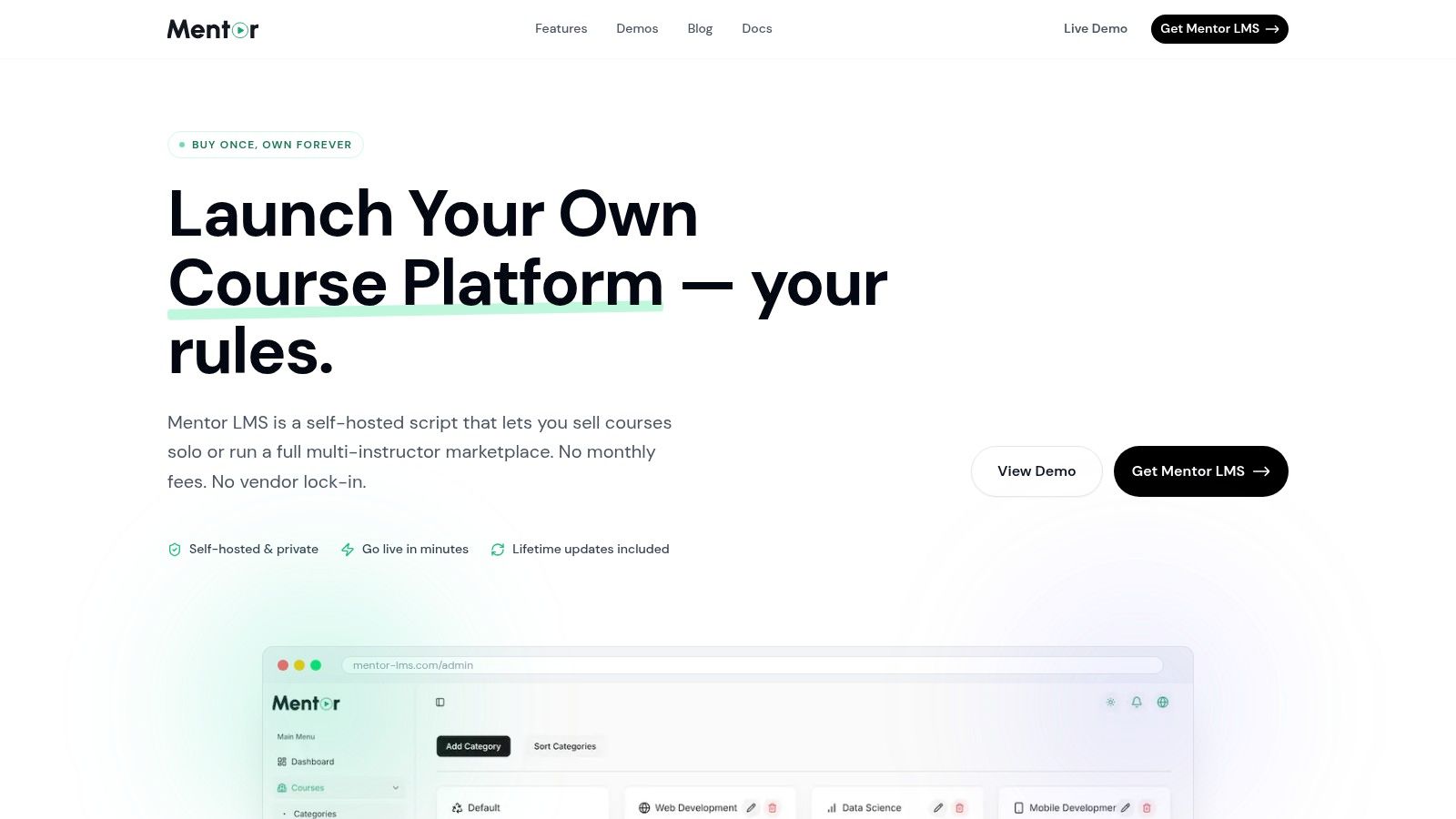
The appeal is clear. You own the environment, control the data location, and can shape reporting around your compliance process instead of waiting for a vendor roadmap. That matters most in regulated sectors, cross-border operations, or any organization where legal and audit teams care about direct access to records.
I would call out the trade-off. Self-hosted systems reduce vendor dependency and can produce steadier long-term cost, but they also put more implementation responsibility on the buyer or hosting partner. If your team cannot support upgrades, backups, access control reviews, and change management, the ownership advantage can turn into operational drag.
The right choice depends less on brand recognition and more on how your company handles evidence, exceptions, and data control under pressure.
Choosing the Right LMS for Your Scenario
A platform can be excellent and still be the wrong choice for your company.
The best lms for corporate training depends on the shape of your team, the pressure you’re under, and what failure looks like in your environment. Missed deadlines hurt one company. Failed audits hurt another. For a third company, the issue is that nobody has time to administer training properly.
The small training team
If your team is lean, your first need is administrative relief.
You want simple enrollment, clear reporting, and a learner experience that doesn’t create support tickets all day. In this case, a lighter SaaS platform makes sense. TalentLMS is the kind of tool I’d review for this profile because it lowers the barrier to launch and doesn’t require internal infrastructure planning.
This path works well when:
- You need to replace manual tracking fast
- Your compliance model is straightforward
- Your user base is stable
- You don’t need unusual exports or custom workflows yet
The mistake here is overbuying. A full enterprise platform can slow down a small team as much as an underpowered one.
The global enterprise
Large multi-country organizations need a different answer.
Here, the LMS has to survive complexity: multilingual delivery, integrations with HR systems, strong permissions, blended learning, and reporting that executives and auditors can both use. That points toward enterprise SaaS, especially where the business already runs on a centralized software stack and wants vendor-managed scalability.
Docebo fits this scenario when the priority is enterprise-wide consistency and automated compliance administration.
The multi-instructor or extended training business
Some organizations don’t just train employees. They train partners, customers, franchisees, or a distributed instructor network. That changes the platform requirement.
You may need:
| Need | Why it matters |
|---|---|
| Separate dashboards | Admins, instructors, and learners don’t need the same interface |
| Audience segmentation | Internal employees and external learners need different access paths |
| Instructor management | Necessary when more than one person owns or delivers content |
| Revenue or commission logic | Relevant for marketplaces, partner programs, or paid certification models |
Many mainstream corporate LMS products support external audiences, but if your model starts to look like a training business rather than a pure internal academy, self-hosted options become more attractive because they give you more commercial and structural flexibility.
The cost-conscious compliance buyer
This is the scenario I see underestimated.
The company isn’t looking for the cheapest tool. It’s looking for predictable long-term cost and control over training evidence. These buyers care about data exports, internal hosting preferences, custom reports for auditors, and avoiding subscription growth as employee counts rise.
For this profile, self-hosted is the stronger strategic fit, even if it’s not the easiest operational fit on day one.
Decision shortcut: If your biggest fear is failed adoption, lean SaaS. If your biggest fear is failed audit proof or runaway recurring cost, examine self-hosted seriously.
The wrong move is buying for today’s convenience when next year’s audit, expansion, or pricing review is already visible.
The Case for Mentor LMS in Corporate Compliance
For compliance-led organizations, the strongest case for a self-hosted LMS is clear. Control lowers risk.
That doesn’t mean every company should reject SaaS. It means some companies have needs that map better to ownership than subscription convenience. If audit evidence, reporting flexibility, and long-term spend predictability are central, a self-hosted approach can make more operational sense.

The clearest proof comes from rollout outcomes shared in the brief. One client experienced a notable reduction in training administration time, leading to significant savings in staff hours. Another estimated that maintaining audit-ready records helped avoid potential compliance fines. Another saw training completion improve substantially. The ownership model also changed the cost curve, with total cost of ownership often proving more favorable than SaaS subscriptions over time.
Those are not abstract benefits. They hit the exact places where compliance programs struggle:
- Admin effort
- Audit preparation
- Completion follow-up
- Budget predictability
- Confidence in recordkeeping
There’s also a structural advantage. When a company owns the platform and can tailor reporting, it’s easier to produce the exact evidence format an auditor asks for instead of trying to force a standard dashboard into a non-standard review process.
In compliance training, flexibility matters most when something unusual is requested. That’s the moment rigid systems become expensive.
For companies that need deep admin control, export flexibility, no monthly per-user fees, and the option to add custom workflows, this model is hard to ignore. It asks more of the organization on hosting and maintenance, but it can return that effort in lower risk and lower long-run cost.
Your Implementation and Migration Checklist
Buying the LMS is only the start. Rollout quality decides whether the platform becomes useful or just becomes another system people avoid.
Start with requirements, not demos
Write down the operational requirements before the next vendor call.
Include:
- Compliance evidence needs: What must be exportable for auditors.
- User structure: Employees, departments, managers, external audiences.
- Content standards: Existing SCORM packages, video libraries, assessments.
- Access rules: SSO, permissions, manager visibility, data retention expectations.
Plan migration like a data project
Most LMS migrations fail through bad cleanup.
Review old completions, duplicate users, retired courses, and certificate records before import. If corporate training is your main use case, this implementation page for a https://mentor-lms.com/build/corporate-training-platform is a helpful benchmark for the kinds of deployment decisions that should be settled early.
Pilot before full launch
Don’t launch company-wide.
Use a pilot group with one compliance-heavy team, one line manager group, and one admin owner. That combination exposes reporting gaps, learner confusion, and assignment mistakes quickly.
Define success in operational terms
Success metrics should be boring and concrete:
- Can managers see who is overdue
- Can admins generate audit reports quickly
- Can learners complete training without support
- Can renewals run automatically
If those four things work, the rollout is on solid ground.
If your team needs stronger audit reporting, predictable LMS ownership costs, and the flexibility to run corporate training on infrastructure you control, Mentor LMS is worth a serious look. It supports corporate training use cases with self-hosted deployment, role-based access, certificates, assessments, and customizable workflows that can fit compliance-heavy environments without adding recurring platform fees.