
Top Advantages of LMS Platforms for 2026
 Mahmudul Hasan Rafi·
You probably have training content living in five different places right now.
A welcome PDF sits in Google Drive. A process video is hidden in an unlisted YouTube link. A quiz lives in a form tool. Certificates are tracked in a spreadsheet. Updates go out by email, and half the learners miss them. From the learner’s side, it feels messy. From the admin side, it feels endless.
That’s usually the point where people start asking whether they need a Learning Management System at all, or whether they can keep patching things together with folders, forms, and chat messages. In small programs, the patchwork can survive for a while. In growing programs, it becomes the bottleneck.
The advantages of lms platforms start with something simple. They put learning in one place. But its true value goes further than storage. A good LMS gives structure, consistency, tracking, automation, and a more professional experience for everyone involved. And if you choose a self-hosted platform instead of renting a SaaS tool, you also gain something many buyers overlook: ownership.
From Digital Chaos to Structured Learning
An educator I worked with had a familiar setup. She sold a short professional course using a website builder, sent lesson links through email, stored downloadable resources in Dropbox, ran live sessions in Zoom, and tracked completions in a spreadsheet. Nothing was broken on paper. In practice, learners kept asking the same questions.
Where do I start? Which file is the latest version? Did my assignment go through? How do I get my certificate?
Her problem wasn’t content quality. Her problem was delivery. She had useful material, but no central learning environment.
That’s the first big reason people move to an LMS. It acts like a command center for learning. Instead of handing learners a pile of links, you give them a clear route. Log in. Open the course. Watch lesson one. Complete the quiz. Join the live class. Download the worksheet. Track progress.
If you’re new to the idea, this plain-language guide to what an LMS is and how it works helps separate the core concept from the marketing jargon.
The business case is stronger than many people assume. Organizations investing in extensive LMS-supported training achieve 24% higher profit margins and 218% higher revenue per employee compared to those without. This is one reason 83% of companies now use an LMS, and 72% report a clear competitive advantage from its deployment, according to Atrixware’s LMS statistics roundup.
That competitive edge doesn’t come from software alone. It comes from turning scattered learning into a system.
When learners don’t know where to go next, even good content loses value.
You can see the same principle in broader digital learning projects. This example of improving e-learning with a customized mobile application is useful because it shows how structure and access shape the learner experience, not just the lesson itself.
An LMS solves a practical problem first. It replaces digital clutter with an organized learning space. Then it becomes something larger: the foundation for scale, reporting, monetization, and long-term control.
The Foundational Advantages of a Centralized LMS
A centralized LMS is like the difference between a crowded garage and a proper workshop.
In the garage version, tools are everywhere. You know the wrench exists somewhere, but finding it takes time. In the workshop version, each tool has a place, the workflow makes sense, and work gets done faster with fewer mistakes. Learning systems work the same way.
Pedagogical advantages
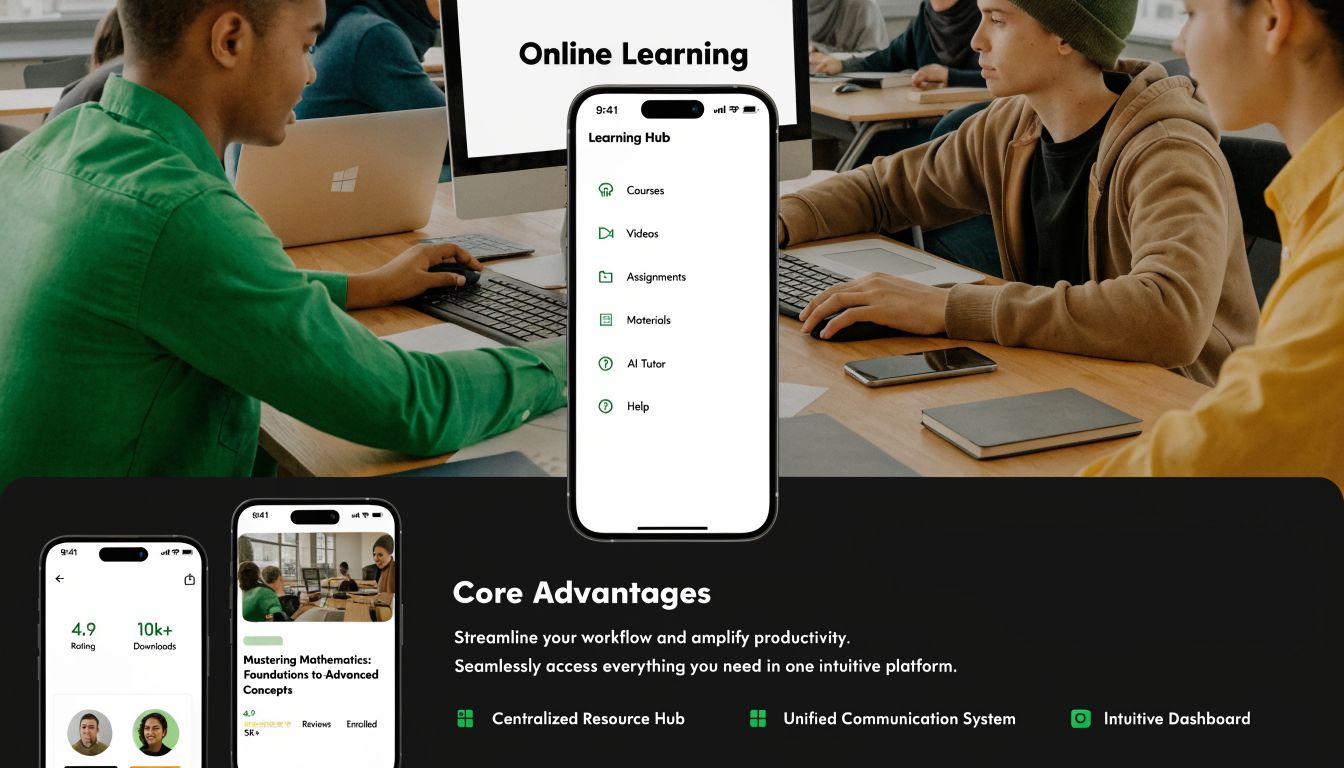
The first set of advantages of lms platforms affects the learner directly. A centralized platform helps you teach in sequence instead of dropping resources into a folder and hoping people assemble the journey themselves.
That matters because most learners don’t struggle with effort alone. They struggle with path. If lesson order is unclear, if assignments aren’t tied to modules, or if live sessions aren’t connected to readings, cognitive energy gets wasted on navigation instead of learning.
A centralized LMS helps you design a more intentional experience:
- Structured pathways: You can set a starting point, a lesson order, and completion logic so learners know what to do next.
- Mixed media learning: Video, audio, readings, documents, assignments, quizzes, and live classes can sit inside one course instead of being scattered across tools.
- Visible progress: Progress indicators reduce uncertainty. Learners can see what they’ve completed and what remains.
- Consistency: Every learner receives the same core experience, even when they join at different times.
For educators, that shift is huge. You stop acting like a file sender and start acting like a learning designer.
Operational advantages
Many people underestimate the value of an LMS. They focus on course delivery but forget the admin load.
Without a central system, someone has to answer access requests, resend links, verify assignments, issue certificates, check attendance, and build reports manually. That may feel manageable at ten learners. It gets exhausting at scale.
A useful analogy is a library. A pile of books in a room still contains knowledge. But without a catalog, checkout process, and labeling system, the library can’t function well. An LMS is that catalog and control layer for learning operations.
Here’s what typically improves:
| Operational area | Without an LMS | With a centralized LMS |
|---|---|---|
| Enrollment | Manual invites and follow-ups | Managed inside one platform |
| Progress tracking | Spreadsheet updates | Automated learner tracking |
| Certificates | Manual checking and sending | Auto-issued on completion |
| Reporting | Pieced together from tools | Built from platform activity |
| Content updates | Multiple versions in multiple places | One update in one place |
A strong operational setup also helps teams work with fewer errors. Admins don’t need to wonder whether a learner got the right file version. Instructors can review history inside the system. Managers can check progress without asking for separate updates.
Practical rule: If the same training question gets answered more than once a week, the delivery system is probably doing too little.
Financial advantages
The money side of an LMS isn’t just about software cost. It’s about what the system replaces.
LMS platforms deliver training cost reductions of 25-60% through lower physical infrastructure needs and automated administration. For a mid-sized organization, that can mean more than $75,000 in annual savings, and enterprise deployments report up to 70% savings in administrative time, according to Tovuti’s overview of LMS benefits.
That’s easier to understand with concrete examples:
- Travel disappears: You don’t need to bring everyone into one room just to deliver standard material.
- Printing disappears: Manuals, handouts, and static packets become digital resources.
- Repetition drops: Create the course once, then reuse and refine it instead of reteaching the same basics from scratch.
- Admin labor shrinks: Enrollment, reminders, grading, and completion records can run through the system.
For a solo educator, the savings might show up as time recovered. For a company, they may appear in reduced training overhead. For both, the core benefit is the same. A centralized LMS reduces friction.
Why centralization matters more than features
People often shop for LMS software by scanning feature lists. Video hosting. Quizzes. Certificates. Zoom integration. Forums. Mobile access.
Features matter, but the larger advantage is centralization itself. Once learning lives in one environment, every part of the experience improves. Teaching becomes clearer. Administration becomes lighter. Reporting becomes possible. Growth stops breaking the system.
That’s why even a modest course business can feel dramatically more professional after moving from folders and email to a dedicated LMS.
Unlocking Strategic Growth and Technical Resilience
Once an LMS is doing the basic job well, it stops being just a training tool. It becomes part of your infrastructure.
That change matters because learning often touches multiple parts of a business at once. Employee onboarding affects operations. Customer education affects support. Partner certification affects quality control. Internal upskilling affects performance. A loosely connected stack struggles to support all of that cleanly.
Technical resilience comes from control
A strong LMS should fit into the rest of your systems instead of sitting off to the side. In practical terms, that means it should be able to connect with your CRM, HR tools, payment systems, communication workflows, and storage layer.
When buyers hear words like “integration” and “architecture,” they often assume the topic is only for IT teams. It isn’t. The question is simpler: can your learning platform support the way your business operates?
A more resilient setup usually gives you these advantages:
- Scalable delivery: You can add more learners, instructors, or programs without rebuilding the process each time.
- Connected systems: Learning data can sit closer to sales, HR, support, or compliance workflows.
- Flexible storage and hosting choices: You’re not forced into a single vendor’s setup.
- Cleaner updates: Content and platform changes become easier to manage in an orderly way.
If you’re weighing infrastructure choices, this guide to an on-premise LMS and what it means for control and deployment is a useful reference point.
Security protects both learners and assets
Security sounds abstract until you remember what an LMS holds. It may contain paid courses, internal documentation, exam content, learner records, assessment results, certificates, and proprietary training material.
That means an LMS doesn’t just store lessons. It stores business value.
A well-managed platform helps with:
- Role-based access: Admins, instructors, students, managers, and reviewers shouldn’t all see the same things.
- Content protection: Paid or sensitive material should stay inside the right audience boundaries.
- Authentication controls: Login methods and verification tools reduce misuse.
- Permission clarity: Teams know who can edit, approve, publish, or export.
For organizations with internal training, this can support governance. For creators selling courses, it helps protect intellectual property. For agencies building systems for clients, it becomes part of delivery quality.
Secure learning systems don’t just reduce risk. They make decision-makers more comfortable investing in digital training.
An LMS can support revenue, not just training
Many people still think of an LMS as a cost center. That’s outdated.
A course business uses an LMS to sell education directly. A company can use it to train customers after purchase. A marketplace operator can host multiple instructors under one brand. A consulting firm can package expertise into paid learning products. In each case, learning moves from internal support function to business model.
That shift becomes more powerful when the platform supports different modes of delivery:
| Business use | What the LMS enables |
|---|---|
| Direct course sales | Branded course delivery with payments and learner management |
| Customer education | Onboarding resources, product training, and certification |
| Partner training | Standardized materials across external partners |
| Multi-instructor marketplace | Separate instructor workflows under one platform |
| Internal academy | Team development, compliance, and structured progression |
This is also where the ownership question starts to matter more. If your learning platform becomes central to revenue, compliance, or product experience, “renting” it on someone else’s rules can become a strategic limitation. Pricing changes, platform restrictions, feature gaps, and data access rules all affect your options.
At that point, the LMS isn’t just software. It’s part of how your organization grows and defends its capabilities.
How LMS Benefits Vary for Different Users
The phrase “advantages of lms” can sound generic because different users need very different outcomes.
A solo creator wants a clean way to publish and sell. A marketplace owner wants instructor management. An enterprise team wants onboarding, reporting, and compliance visibility. An agency wants something it can brand, configure, and hand over to clients without being boxed in by a vendor.
So instead of talking about one universal benefit, it’s more useful to look at how the value changes by persona.
LMS advantages by user persona
| Persona | Top Advantage 1: Monetization & Operations | Top Advantage 2: Scalability & Growth | Top Advantage 3: Control & Branding |
|---|---|---|---|
| Solo creators and edupreneurs | Sell courses, automate enrollment, organize delivery | Add more courses without multiplying admin work | Create a branded learning experience instead of sending buyers to generic tools |
| Marketplace owners | Manage multiple instructors and payout workflows | Expand catalog depth through many contributors | Maintain platform standards, structure, and identity |
| Enterprises and organizations | Standardize onboarding, compliance, and staff training | Serve teams across departments or locations | Keep learning aligned with internal processes and governance |
| Agencies and developers | Deliver LMS projects as client solutions | Reuse frameworks across more builds | White-label, customize, and tailor the platform to each client |
Solo creators and edupreneurs
For an independent educator, the biggest shift is usually operational. Before an LMS, they spend too much time sending links, answering repeat access questions, checking payments, and manually telling learners what to do next.
With an LMS, the course becomes a product with a proper delivery system behind it. That improves the buyer experience and frees the educator to focus on content, marketing, and support where it matters.
A lot of tutoring businesses move through a similar transition. If you work in that space, reviewing how dedicated tutoring center software handles scheduling, management, and learner operations can help clarify which functions belong in your wider education stack and which should live inside the LMS.
Marketplace owners
A marketplace has a different challenge. The problem isn’t just delivering learning. It’s governing a small ecosystem.
You need instructors to manage their own content without creating chaos. You need students to have one unified experience. You need the platform owner to control standards, branding, policies, payments, and quality.
That makes control and workflow more valuable than a long list of flashy learner features. Marketplace operators usually need clear roles, review processes, payout logic, and a platform structure that won’t collapse as more instructors join.
The more contributors a learning business has, the more the platform must behave like a system, not a collection of course pages.
Enterprises and organizations
For companies, the LMS often becomes an internal operating layer for learning. New hires can move through structured onboarding. Existing staff can complete required training. Managers can review progress without chasing updates through email.
The value here is often less visible to learners because the biggest gains happen behind the scenes. HR teams spend less time coordinating. Compliance teams can locate records faster. Department leaders can roll out consistent training across roles.
The best enterprise setups also connect learning to business outcomes. Sales enablement, customer success training, product knowledge, and support readiness all become easier to manage when learning is structured rather than improvised.
Agencies and developers
Agencies and technical teams see an LMS differently. They don’t just need a platform to use. They need a platform to shape.
That means customization matters. Branding matters. Deployment options matter. The ability to adapt workflows for clients matters. Source-code access can matter a lot, especially when a client wants something beyond the default roadmap of a SaaS vendor.
For agencies, an LMS can become both a deliverable and a recurring service line. They can install it, configure it, customize the design, connect payments, tailor roles, and provide ongoing maintenance.
The real takeaway
Each persona gets value from the same core idea: one organized learning environment. But the expression of that value changes.
For one person, it means fewer emails. For another, it means a scalable marketplace. For another, it means operational control. For another, it means a flexible client solution.
That’s why choosing an LMS starts with the user model, not the feature spreadsheet.
The Mentor LMS Advantage Owning Your Platform
There’s a simple difference between renting a platform and owning one.
When you rent, you get convenience fast. The vendor hosts it, controls the roadmap, sets the pricing structure, and decides the platform boundaries. That model works for many buyers, especially early on. But over time, convenience can turn into dependency.
When you own the platform, the center of gravity shifts. The system becomes part of your business, not someone else’s service layer.
What ownership changes in practice
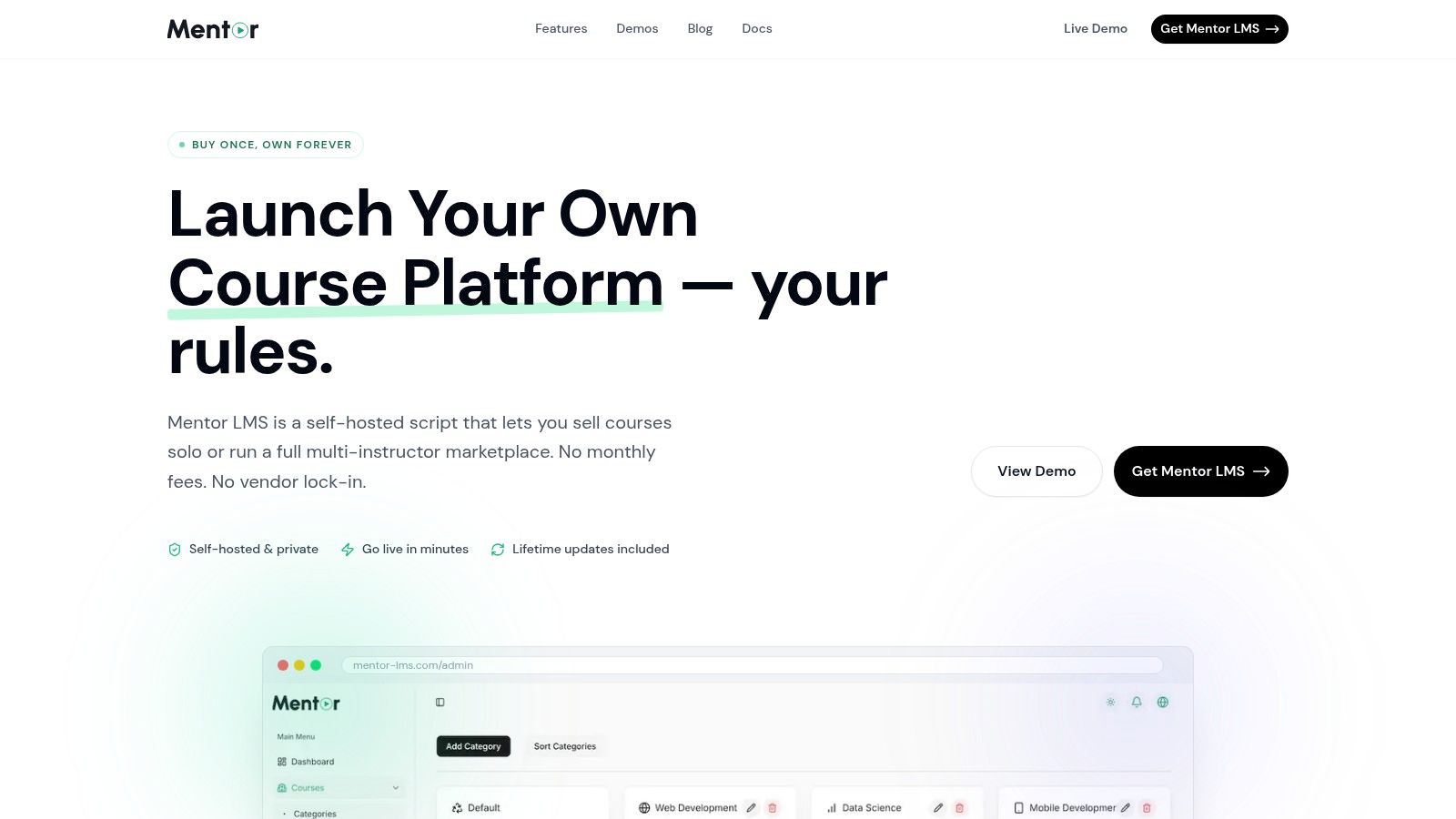
Self-hosted systems offer distinct advantages. A self-hosted LMS gives you control over hosting, customization, branding, update timing, and long-term platform direction. That changes the conversation from “Which plan should I subscribe to?” to “What kind of learning business or training environment do I want to build?”
Mentor LMS is built around that ownership model. It’s a self-hosted LMS on Laravel and React, designed for solo course sites, multi-instructor marketplaces, and organizational training environments. The one-time purchase approach, full source-code ownership, unlimited courses and users, and no vendor lock-in create a very different long-term profile from a subscription-based SaaS tool.
That ownership shows up in several practical ways:
- Pedagogical control: The drag-and-drop curriculum builder supports video, audio, documents, assignments, drip content, and Zoom live classes in one course flow.
- Business model flexibility: You can run a single-instructor course business or open a full multi-instructor marketplace with configurable commissions and instructor payouts.
- Assessment depth: The standalone exam system supports multiple question formats, auto-grading, fullscreen mode, timers, and attempt history.
- Operational independence: Certificates, marksheets, role-based dashboards, newsletters, forums, and reviews are built into the ecosystem.
- Infrastructure freedom: You can host where you choose and use storage options like local server environments, AWS S3, or Cloudflare R2.
Why self-hosted often becomes the smarter long-term choice
The usual fear with self-hosted software is complexity. Years ago, that concern was more justified. Modern systems have changed the picture.
Mentor LMS includes one-click updates and one-click backups, which lowers the maintenance burden for non-technical teams. It also supports multilingual dashboards, SEO controls, payments across many countries, and role-based access. Those details matter because they reduce the number of extra tools you need around the LMS.
The ownership model becomes especially compelling when the learning platform is tied to revenue, client delivery, or internal process design. In those cases, platform limitations aren’t minor annoyances. They shape what the business can do.
A quick product walkthrough helps make those differences easier to visualize:
Ownership is the deeper advantage
A rented LMS often solves the first problem. A self-hosted LMS can solve the next five.
If your goal is just to upload a few lessons and test an idea, a rental model may feel sufficient. If your goal is to build an education business, launch a branded marketplace, deploy internal training at scale, or deliver LMS projects to clients, ownership starts to matter much more.
Buy software when you need a tool. Own software when you need an asset.
That’s the strongest strategic case for a self-hosted LMS. The platform doesn’t sit under your business. It becomes part of it.
Implementing Your LMS and Measuring Success
A lot of buyers still imagine LMS implementation as a long technical project with endless dependencies. That used to be common. It isn’t the only path now.
Modern self-hosted platforms are much more approachable, especially when the system already includes course tools, exams, certificates, payments, dashboards, and update mechanisms. The primary work is usually not installing the software. It’s making smart decisions about content, users, workflows, and measurement.
A practical rollout sequence
If you want implementation to go smoothly, keep the first version focused. Don’t migrate every old asset just because it exists. Start with the courses or training flows that matter most.
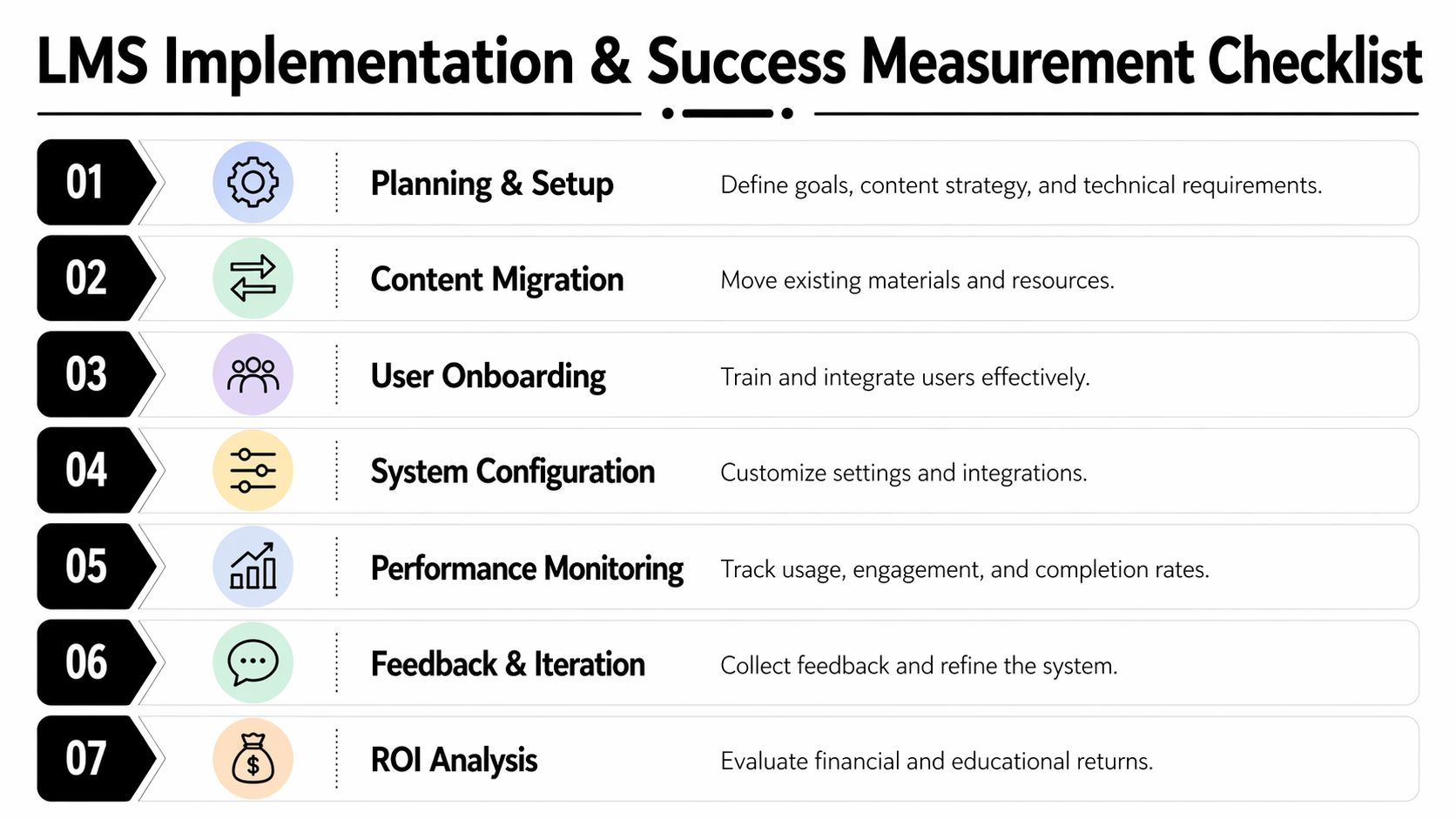
A sensible rollout often looks like this:
- Define the core goal: Are you selling courses, onboarding staff, training customers, or launching a marketplace?
- Choose what to migrate first: Bring over the content that has active value, not every legacy file.
- Map the learner journey: Decide what learners see first, how they progress, and what completion means.
- Configure users and roles: Set up admin, instructor, and student permissions early.
- Connect key systems: Add payments, email delivery, live class tools, and storage choices where needed.
- Pilot before broad launch: Let a small group use the system and report confusion points.
- Refine based on behavior: Fix friction before scaling traffic or enrollments.
For teams that want a faster starting point before building out a fuller platform, a tool like this LMS starter app can also be a useful reference for thinking through early setup logic and product structure.
What you should actually measure
Many LMS owners track only enrollments. That’s not enough. Success should be visible in learner behavior and business outcomes.
Useful KPIs often include:
- Course completion rates: Are learners finishing what they start?
- Engagement signals: Which lessons, formats, or assessments keep people active?
- Time to competency: How quickly do learners reach practical readiness?
- Assessment performance: Where are the knowledge gaps?
- Operational outcomes: Are support requests, repeated admin questions, or manual interventions decreasing?
- Revenue-linked indicators: For paid education, are course pages, pricing, and progression supporting sales and retention?
If you’re budgeting or comparing options, this breakdown of the cost of an LMS and what shapes total investment is a useful planning resource.
A successful LMS doesn’t just deliver content. It changes behavior in ways you can observe.
AI and personalization matter when they serve the learner
Personalization is one of the areas where owned platforms can become more valuable over time. You’re not waiting on a vendor roadmap to decide what gets added next.
Emerging data shows that AI-powered adaptive learning paths in LMS platforms can increase learner engagement by 45% and completion rates by 35% in SMBs. The same source notes that 60% of small organizations often underutilize complex features in rigid SaaS systems, which is one reason flexible self-hosted setups can be attractive for custom workflows and AI integrations, according to Instrumental’s discussion of the growing role of LMS platforms in education.
That doesn’t mean every LMS needs AI on day one. It means your platform should leave room for improvement. Adaptive suggestions, recommended next lessons, predictive skill gaps, and personalized learning paths are useful when they solve real learner problems.
Keep the first launch simple
Many LMS projects get stuck because teams try to perfect everything before launch. That usually backfires.
Launch the system with one strong learning path, one clean onboarding flow, and a few metrics you’ll review. Once learners are moving through it, the next decisions become much easier because they’re based on evidence instead of assumptions.
Frequently Asked Questions About LMS Platforms
Are self-hosted LMS platforms too technical for non-technical users
Not necessarily. The platform setup still needs care, but modern self-hosted systems are much easier to manage than older generations of software. If the product includes guided setup, role-based dashboards, backups, and simple update tools, day-to-day use can feel straightforward for admins and instructors.
Can I move my existing courses into an LMS
Usually, yes. Most course businesses already have the raw pieces: videos, PDFs, worksheets, quizzes, slide decks, or live session links. The actual task is less about “migration” and more about restructuring. You’re turning loose materials into a guided experience with sequence, access control, progress tracking, and completion logic.
What’s the difference between a one-time fee and a monthly subscription
A monthly subscription spreads cost over time, but you’re still renting access. A one-time purchase shifts more value into ownership. That often matters when your course catalog grows, your user count rises, or you need deeper customization. The long-term difference isn’t just accounting. It’s control.
Is an LMS only for large companies
No. Large organizations use LMS platforms heavily, but the same core benefits help solo educators, academies, agencies, and marketplace operators. The scale is different. The underlying problem is the same. People need a clear place to learn, and you need a reliable way to manage that process.
How do I know if I actually need one
You probably need an LMS if you’re repeatedly sending files manually, answering the same learner questions, juggling too many learning tools, struggling to track progress, or wanting a more professional delivery experience. If your learning operation feels patchworked together, the system is already telling you what’s missing.
If you want a platform you can own, Mentor LMS is worth a close look. It gives course creators, organizations, marketplace owners, and agencies a self-hosted LMS with a one-time purchase model, full source-code ownership, no monthly fees, and no vendor lock-in. If your goal is to build a learning business or training system that grows on your terms, that ownership model is the advantage that lasts.