
White Label LMS Platform: A Creator’s Guide for 2026
 Mahmudul Hasan Rafi·
You’re probably here because your current LMS works just well enough to be frustrating.
Your courses are live. Learners can log in. Payments may even be coming through. But the platform still feels rented. The login page doesn’t quite match your brand. The emails look generic. The domain structure is awkward. And every time you want a meaningful change, you hit a pricing wall, a feature limit, or a support ticket queue.
That’s the point where most creators, agencies, and training teams start looking for a white label lms platform.
The shift isn’t just about making the interface prettier. It’s about control. It’s about deciding whether you want a branded training business or a business that sits on top of someone else’s product rules.
Beyond Branding Taking Ownership of Your Learning Ecosystem
A lot of buyers start with branding and end up discovering a bigger issue.
They want to replace a logo, use their own colors, and send emails from their own domain. Then they realize the problem is deeper. They don’t control the platform roadmap, pricing model, or the way client portals get created. They’re building a business on software they don’t own.
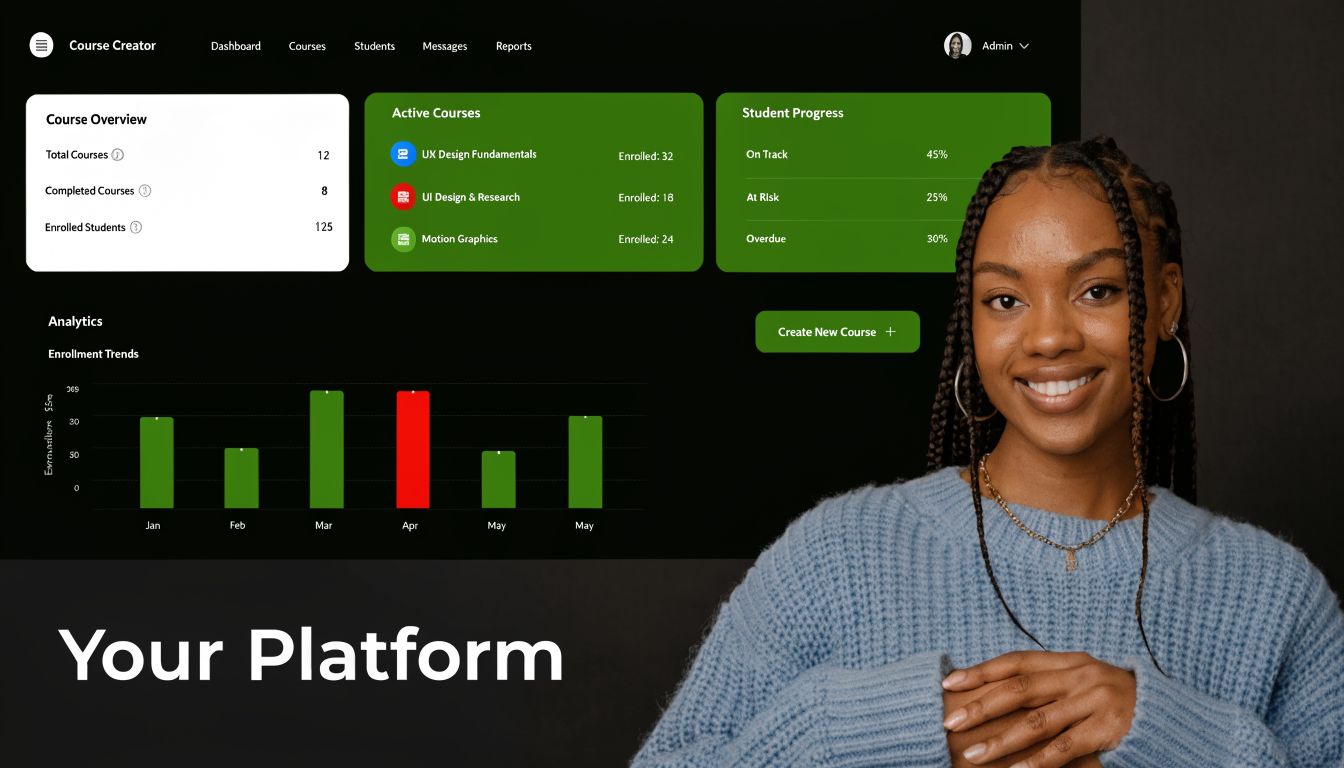
That’s why white-label LMS products have become so important. The category has emerged as a critical option for training providers and enterprises that want faster market entry without the capital burden of custom software. Building a proprietary LMS from scratch typically costs six figures, which is why white-label platforms are often the practical path for launching branded learning experiences quickly, as noted by Oasis LMS.
There are two broad paths.
One is SaaS. You subscribe, configure what the vendor allows, and launch quickly.
The other is self-hosted. You buy the software, deploy it on your own infrastructure, and take responsibility for hosting, maintenance, and deeper customization.
Ownership changes the business math
For a solo creator, ownership means your course platform can evolve with your brand instead of outgrowing it.
For an agency, it means you can deliver a client LMS that looks custom-built without rebuilding the wheel every time. For a training company, it means you can standardize delivery while still creating distinct branded experiences for different customers.
Practical rule: If the platform can’t disappear behind your brand, it isn’t fully white-label in the way serious operators need.
The biggest misunderstanding I see is this. Buyers treat white labeling as a design setting.
It’s not. It’s an operating model.
The first signs of a platform you can actually own
The early branding work should be simple. Logo, favicon, color system, dashboard styling, branded emails, and certificates should be easy to change without touching core logic. A platform that fights you on those basics will fight you on larger changes later too.
If you want a practical reference for how a modern branding layer should behave, this color system documentation shows the kind of flexibility that makes day-one customization faster.
What Exactly is a White Label LMS Platform
A white label lms platform is a learning system that lets you run training under your own brand so completely that learners don’t feel like they’re using a third-party product.
That sounds simple, but many platforms only partially deliver it.
A real white-label setup doesn’t stop at adding your logo to the header. It covers the full learner-facing experience, including domain, visual identity, communication, and often the admin structure behind the scenes.
Think of it like a custom vehicle
The easiest analogy is a performance car build.
You’re not manufacturing an engine from raw metal. You’re buying a proven engine and chassis, then wrapping it in your own body, interior, controls, and finish. The core technology is already tested. What you own is the final product experience.
That’s what a good white-label LMS does.
You skip the cost and risk of building the underlying learning engine from scratch, but the learner sees your business, not the software vendor.
What a true white-label setup must include
These are the essential requirements:
- Custom domain so learners log in through your web address, not a vendor subdomain.
- Vendor invisibility so logos, footers, and platform references don’t leak into the interface.
- Brand styling across color palette, navigation, buttons, pages, and learner dashboards.
- Branded communication including welcome emails, reminders, and completion messages.
- Custom certificates so awards look like they came from your organization, not the LMS provider.
If any of those are missing, the platform is branded software with light customization, not full white labeling.
Who benefits most
Different buyers use white label platforms for different reasons.
A creator wants to sell under their own name. A marketplace operator needs multiple instructors and payouts. An agency wants to deploy branded training sites for clients. A corporate team wants consistency across employee, customer, and partner education.
Those business models overlap, but their priorities differ.
| Buyer type | What matters most |
|---|---|
| Solo creator | Brand control, payments, course sales, simple admin |
| Agency | Repeatable deployment, client branding, maintainability |
| Marketplace builder | Instructor workflows, commissions, content scale |
| Corporate trainer | Governance, reporting, audience segmentation |
If you work across client campaigns and brand environments, it also helps to understand adjacent white-label models outside LMS software. This overview of a white label advertising platform is useful because it shows the same core principle in another service category. The end client sees your brand, while proven backend infrastructure does the heavy lifting.
Buyers usually regret underestimating how much trust comes from platform invisibility. Learners notice when the experience feels stitched together.
The Critical Choice Self-Hosted vs SaaS White Label LMS
This is the decision that matters most.
Not the homepage design. Not the certificate template. Not the course player.
The decision is whether you want to rent a branded LMS or own one.
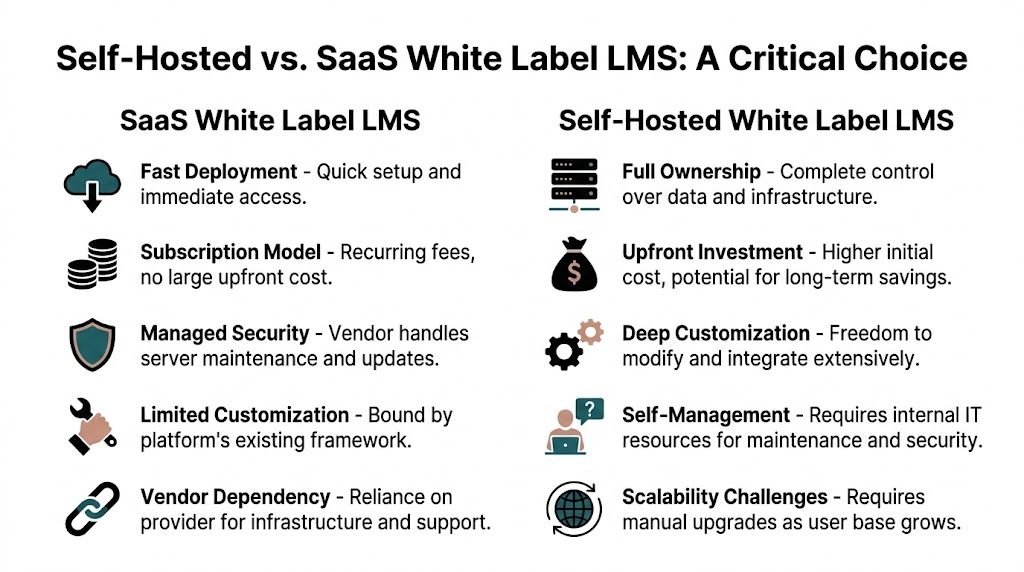
SaaS has obvious appeal. It’s fast to start, the vendor handles infrastructure, and your team doesn’t need to think much about servers or updates.
Self-hosted flips that. You take on more operational responsibility, but you also gain control over cost, data, integrations, and product direction.
Where SaaS makes sense
SaaS is often a good fit when speed matters more than flexibility.
If you need to launch quickly, have a small team, and don’t want to manage hosting, a SaaS white-label LMS can be the right temporary or even long-term choice. It reduces setup friction and gives non-technical teams a straightforward path to go live.
Many organizations also prefer SaaS because support, maintenance, and platform security are bundled into the relationship.
That convenience is real. So are the trade-offs.
Where the cost picture changes
The most overlooked part of this category is total cost of ownership.
According to ProProfs, SaaS white-label LMS platforms commonly charge $39–$399/month, which can lead to $5,000–$50,000+ annually for mid-sized users, sometimes excluding platform revenue shares of up to 20%. The same source notes that self-hosted alternatives can produce 40-70% lower TCO over 3 years for high-volume sellers.
That doesn’t mean self-hosted is automatically cheaper for everyone.
It means recurring software costs become a strategic issue once your catalog, learner count, or client base grows.
Here’s the practical comparison.
| Factor | SaaS White Label (e.g., LearnUpon, TalentLMS) | Self-Hosted White Label (e.g., Mentor LMS) |
|---|---|---|
| Upfront cost | Lower initial spend | Higher initial spend |
| Ongoing cost | Recurring subscription | Hosting, maintenance, support |
| Revenue share risk | May apply on some platforms | Typically under your control |
| Data control | Vendor-managed environment | Owner-managed environment |
| Customization depth | Limited by vendor framework | Much deeper if code access exists |
| Vendor lock-in | Higher | Lower |
| Infrastructure work | Minimal | Your responsibility |
| Exit flexibility | Can be painful if exports are limited | Stronger if you control stack and data |
If you want a platform-level breakdown of this model choice, this SaaS vs self-hosted comparison maps the decision from an ownership perspective.
Vendor lock-in is a business problem
Most buyers notice lock-in too late.
At the beginning, they focus on launch speed. Later, they discover that moving learner records, rebuilding automations, replacing payment flows, or replicating custom pages is expensive and disruptive. The more successful the LMS becomes, the harder it is to leave.
That’s the paradox. SaaS can reduce short-term complexity while increasing long-term dependency.
Decision test: If leaving the platform later would disrupt your revenue, client delivery, or learner records, treat that risk as part of the buying decision now.
Customization is never just visual
A common mistake is evaluating white labeling only at the UI layer.
The deeper issue is operational customization. Can you change how instructors are paid? Can you support your own checkout flow? Can you build a marketplace instead of a single-school model? Can you add role-specific dashboards, local payment gateways, or workflow logic that matches how your business operates?
SaaS usually gives you the branding layer and selected integrations.
Self-hosted usually gives you room to shape the product around your model.
That difference matters far more than whether the button colors are editable.
A short explainer can help if your team is still framing the decision:
What works in practice
For early-stage teams with narrow requirements, SaaS often works fine.
For agencies, training consultancies, marketplace builders, and operators who care about margin control, self-hosted usually ages better. You can shape the stack around the business instead of forcing the business into the software’s pricing and feature model.
The right answer depends on your tolerance for technical responsibility.
The wrong answer is choosing based only on launch speed.
Your Evaluation Checklist for a White Label Platform
Most LMS demos look polished.
That’s why buyers get trapped by surface-level comparisons. A homepage preview tells you almost nothing about how the platform behaves once you have real learners, real clients, and real reporting requirements.
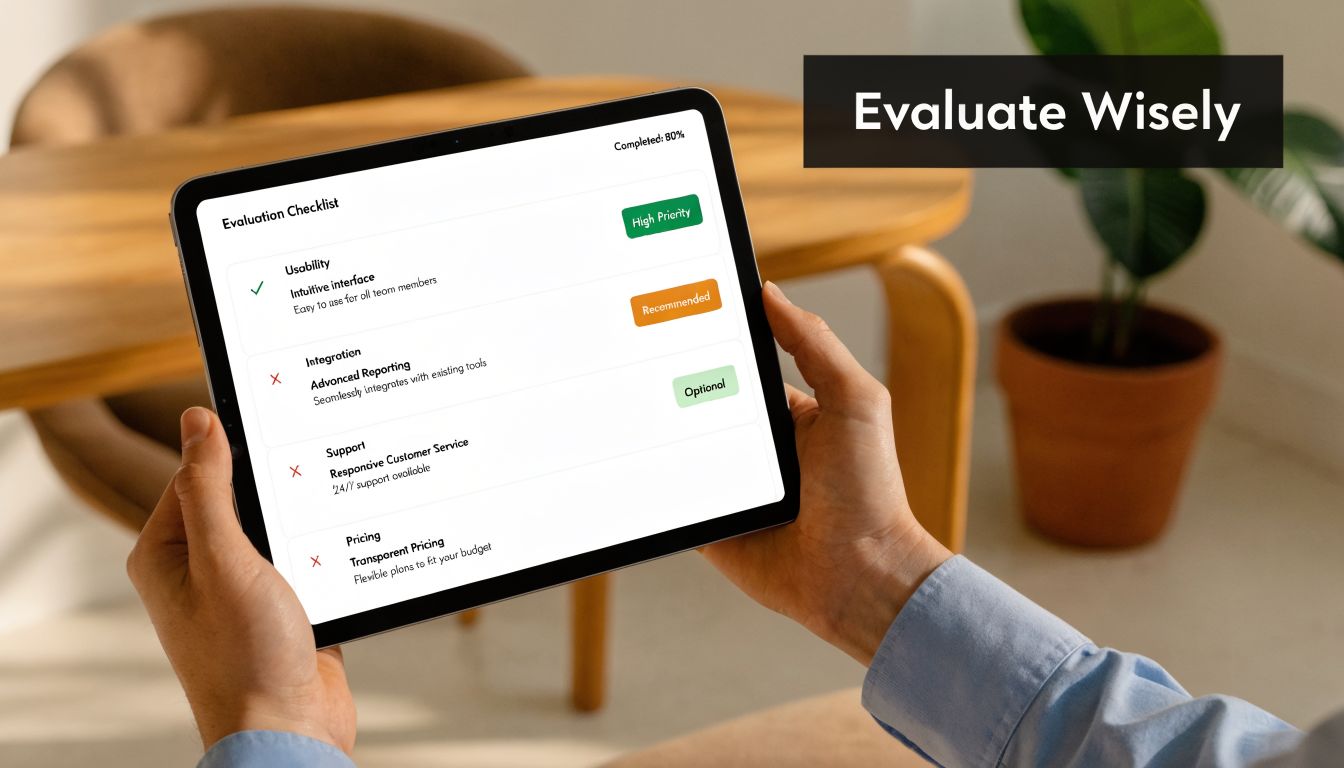
The evaluation process gets easier when you stop asking, “Does it have white labeling?” and start asking, “How far does that white labeling go?”
Start with branding surfaces
The most important customization areas for enterprise adoption are portal-level theme control, custom domain and SSO configuration, branded email templates, custom certificate design, and multi-portal architecture with delegated admin roles, according to Docebo.
That list is useful because it forces a more serious review.
Don’t ask whether the platform supports branding. Ask where branding appears and where it breaks.
Use questions like these:
- Can we control the portal theme fully or are we limited to a logo upload and a few colors?
- Can each client or business unit have its own domain and sign-in flow?
- Can notification emails be branded properly or do vendor references still show up?
- Can we issue certificates that match our organization’s identity without design workarounds?
- Can we assign client admins safely without exposing cross-client data?
Check the operating model, not just features
A white label lms platform should fit the business you’re running.
If you sell your own courses, you need strong course pages, checkout, promotions, and learner communications. If you run client training programs, you need multi-portal separation, delegated admin roles, and reusable content workflows. If you plan to build a marketplace, instructor management and payout logic matter more than most LMS comparisons admit.
When buyers compare feature lists instead of operational fit, weak evaluations falter.
Don’t buy a platform for what it can demo. Buy it for the daily work it can remove.
Review analytics with business intent
Reporting quality is often the difference between a platform that looks good and one that earns its place in the business.
Docebo notes that success measurement depends on completion rates, learner satisfaction scores, and engagement levels. That’s the right baseline, but in practice you should also ask whether the data is useful outside the LMS.
Look for:
- Exportability so your team can analyze training performance elsewhere if needed.
- Audience-level visibility to separate internal learners, customers, and partners.
- Admin boundaries so one client admin doesn’t see another client’s reports.
- Practical dashboards that answer real questions quickly instead of flooding the screen with vanity metrics.
Ask hard questions before signing
A shortlist should always include commercial and technical questions that vendors prefer to keep vague.
Here’s the minimum set I’d use:
What exactly do we own
If this is self-hosted, do you get source code, deployment freedom, and unrestricted control over data?How do we leave if needed
Ask how content, users, certificates, and completion records can be exported.What scales cleanly
Multi-client delivery, instructor growth, language expansion, and custom integrations all stress the platform in different ways.What support is included
Basic support, premium support, implementation help, and custom development are not the same thing.What does branding require
If changing emails, login pages, or certificates needs developer intervention every time, the platform is not operationally friendly.
A smart evaluation feels less like software shopping and more like due diligence on future dependency.
The Go-Live Plan Implementing Your Self-Hosted White Label LMS
Implementation is where optimistic buying decisions meet reality.
A self-hosted launch can move fast, but only if you treat it like a deployment project, not a theme installation. The winning teams are the ones that define branding, infrastructure, content, and testing in sequence instead of changing everything at once.
Phase 1 setup and environment
Start with the foundation.
Provision the hosting environment, install the LMS, connect storage, and confirm the domain plan before loading real content. If the platform will support multiple branded portals later, decide early whether your architecture needs tenant separation from day one.
For self-hosted systems, multi-portal scale requires serious planning. Enterprise white-label platforms need multi-portal infrastructure, and self-hosted implementations may require multi-database support or schema-based tenancy. The same D2L reference notes that unoptimized systems can face 15-40% performance degradation per additional tenant, which is why Redis, CDN integration, and flexible storage options such as AWS S3 and Cloudflare R2 become essential as you scale.
If your internal team is thin on frontend implementation, especially for branded dashboard work or custom learner flows, it can help to hire dedicated React.js developers who understand product interfaces rather than generic brochure websites.
For teams deploying on their own virtual server, this VPS installation guide is the kind of setup reference worth reviewing before launch planning starts.
Phase 2 branding and content
Branding should happen in an order that creates the strongest identity fastest.
The best sequence is usually:
- Logo and favicon first because they instantly remove the generic platform feel.
- Color system next so headers, buttons, backgrounds, and navigation align with your brand.
- Login page and dashboard because first impressions happen before the first lesson starts.
- Email templates so welcome messages, reminders, and certificate emails feel consistent.
- Certificate design because completion assets often get shared outside the platform.
That order creates the clearest “this is our platform” experience without slowing the launch.
At the same time, load a small but realistic content set. Don’t test with placeholder lessons only. Use a live course, a real quiz or exam, a certificate workflow, and at least one transactional email path.
Phase 3 integrations and testing
This phase is where most delays happen.
The common trouble spots are familiar: domain switching delays, mixed content warnings after SSL changes, email deliverability issues when branded mail starts sending from the custom domain, and old links that remain cached in user bookmarks or earlier emails.
A good pre-launch checklist includes:
- URL review so old references don’t keep calling insecure paths
- Cache clearing across the platform and browser-facing layers
- SSL validation across all learner-facing pages
- Email authentication review so welcome emails and reminders don’t end up in spam
- Role testing for admins, instructors, and learners before anyone external logs in
Launch issues rarely come from one big failure. They come from five small settings nobody checked together.
Phase 4 launch and first client onboarding
Go live with one clean learner segment first.
That could be one internal team, one external client, or one pilot course bundle. The goal is to validate onboarding, learner navigation, progress tracking, and support workflows before you widen access.
One example that stands out involved a training consultancy in Dubai that wanted a branded LMS live quickly. The team chose a lifetime-license self-hosted route and had the platform delivered with custom branding, domain, and professional email templates in 12 days. Over the next 6 months, they onboarded 14 corporate clients and enrolled over 2,300 employees. The commercial result mattered, but so did the market perception. Their clients saw a polished learning platform that felt custom-built.
That’s what a good white-label rollout does. It helps a small team present like a larger operator.
How Mentor LMS Delivers True Platform Ownership
Most LMS products sell access.
Mentor LMS sells ownership.
That difference matters if you’re building a long-term education business, not just uploading a few courses. The platform is self-hosted, built on Laravel and React, and designed for operators who want control over branding, infrastructure, and business model instead of being boxed into a subscription product.
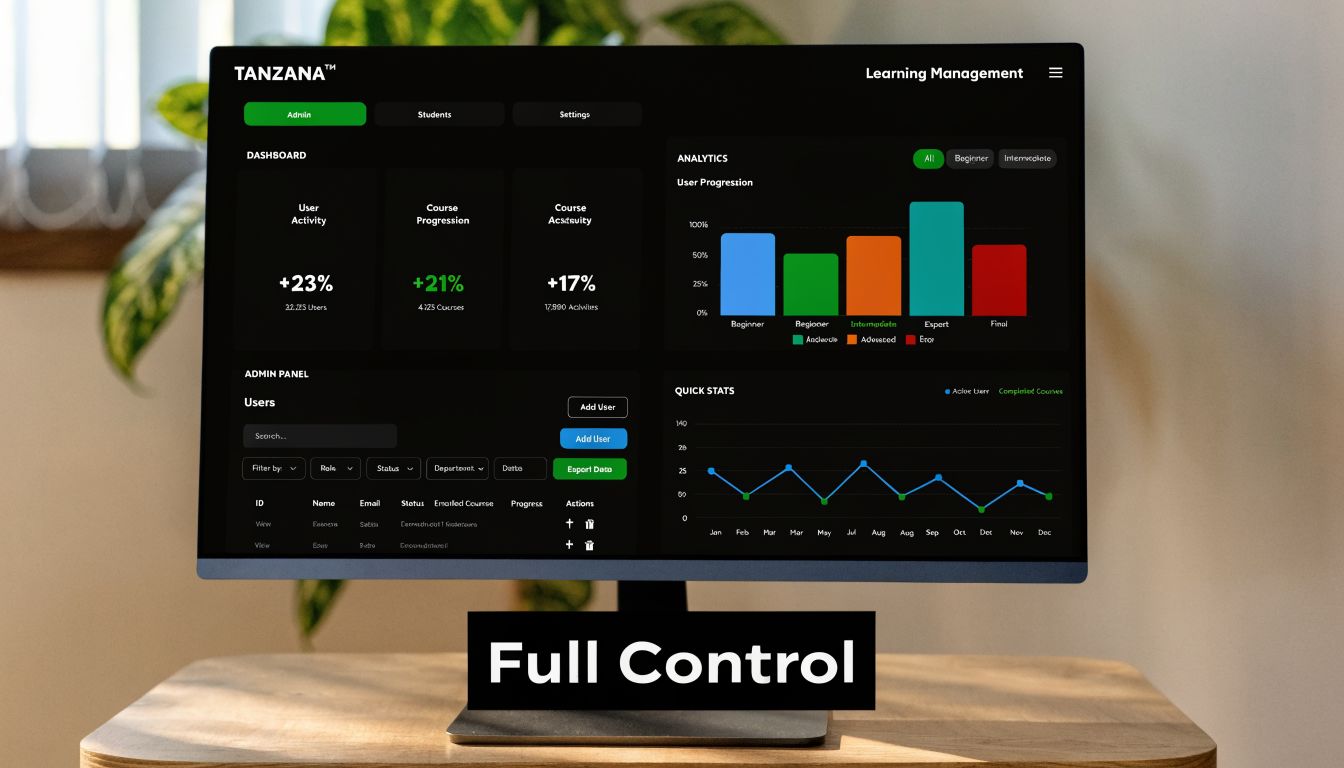
Why the ownership model matters
If you’re tired of monthly fees, usage ceilings, and vendor lock-in, Mentor LMS addresses those problems directly.
It uses a one-time purchase model with no monthly fees and no vendor lock-in. You host it where you want, control your own stack, and keep the source-code-level freedom that SaaS products rarely allow.
That changes the economics for several buyer types:
- Creators keep more control over margins.
- Agencies can deliver client LMS projects without tying every deployment to another recurring platform subscription.
- Marketplace operators can build a multi-instructor business without surrendering platform control.
- Training organizations can run internal or external learning programs without being trapped in someone else’s commercial model.
The feature depth is built for actual operators
A lot of self-hosted tools give you ownership but leave you assembling the product yourself.
Mentor LMS is different because it comes with the business-layer features most operators need from day one. You can run a solo course business or a full multi-instructor marketplace. Commission rates and instructor payout management are built in. That matters if your business model is closer to Udemy than a single-instructor school.
The course system supports video, audio, documents, assignments, drip content, and Zoom live classes. There’s also a standalone exam system with 7 question types, auto-grading, countdown timer, fullscreen mode, and attempt history. That exam-first capability is important for certification businesses that sell testing independently of full courses.
Other practical pieces stand out too:
- Certificates and marksheets with custom template builders
- Drag-and-drop page builder with 40+ pre-built sections
- Payments in 130+ countries through gateways including Stripe, PayPal, Razorpay, Paystack, Mollie, and SSLCommerz
- Three role-based dashboards for admins, instructors, and students
- Multilingual support with RTL and LTR compatibility
- Storage flexibility across local server, AWS S3, or Cloudflare R2
- One-click updates and backups for easier maintenance
It fits the real white-label use cases
Mentor LMS is a strong fit when you need a branded platform that doesn’t look rented.
That includes solo creators building a direct course brand, edupreneurs launching a marketplace, agencies implementing LMS sites for clients, and organizations running partner, compliance, or customer education.
A white-label platform becomes strategic when it matches your revenue model, not just your color palette.
If you want a self-hosted LMS that gives you software control, business model flexibility, and room to customize extensively, Mentor LMS is worth a serious look.
Frequently Asked Questions About White Label LMS Platforms
Which branding elements should you customize first
Start with the branding elements learners notice immediately.
Use this order:
- Logo and favicon to remove the generic platform look fast.
- Color scheme so buttons, headers, and backgrounds align with your brand.
- Login page and dashboard because that’s where first impressions happen.
- Email templates so communications feel professional and consistent.
- Certificate design so completions reflect your brand outside the LMS too.
That sequence gives the strongest ownership feel with the least wasted effort.
How long does it take to deploy a self-hosted white-label LMS
It depends on how much customization and integration work you need.
A practical deployment range looks like this:
| Setup level | Typical timeline |
|---|---|
| Basic branding, domain, SSL | 2 to 4 days |
| Branding plus email templates and light customization | 5 to 7 days |
| Advanced customization and integrations | 10 to 14 days |
Those timelines are realistic when the platform is already production-ready and you’re not building core LMS functionality from scratch.
What usually goes wrong when switching domains or SSL
The common issues are predictable.
- DNS propagation delay can slow visibility of the new domain across regions.
- Mixed content warnings appear when older URLs still point to non-secure paths.
- Email deliverability problems show up if domain-based email authentication isn’t configured properly.
- Cached old links keep users hitting outdated URLs from bookmarks or old emails.
The fix isn’t complicated, but it does require discipline. Review platform URLs before launch, clear caches, validate SSL across the full learner path, and test branded email sending before inviting real users.
The teams that avoid launch problems are usually the ones that treat go-live like a checklist exercise, not a design milestone.
If you want a self-hosted white label LMS platform that you can own, Mentor LMS is built for that model. It gives creators, agencies, marketplaces, and training teams a one-time purchase option with full source-code control, deep branding flexibility, and no vendor lock-in. Explore the product, review the docs, or reach out if you need a turnkey setup or custom LMS development.