
Your Guide to Computer Based Training in 2026
 Mahmudul Hasan Rafi·
Let's get straight to the point. Computer Based Training (CBT) is really just a simple concept: self-guided learning on a computer, without a live instructor.
Think of it this way: traditional training is like a scheduled movie screening where everyone has to show up at the same time. CBT, on the other hand, is like Netflix. Learners can press play, pause, and rewind whenever they want, taking full control of their own educational journey.
What Is Computer Based Training Anyway?
At its heart, computer based training is any educational content a person can access and work through on their own machine. The defining characteristic is autonomy. Unlike a live webinar or a packed classroom, the learner is completely in charge of their own pace and schedule.
This simple idea of providing flexible, consistent training is why CBT has become a cornerstone of both corporate learning programs and the broader world of online education.
It's easy to get tangled in the web of eLearning jargon, so let's clear things up. CBT is an umbrella term, but here’s how it fits with a couple of other common phrases:
- Web-Based Training (WBT): This is just a specific type of CBT that you access through a web browser. Since most training happens online these days, the two terms have become almost interchangeable.
- eLearning: This is the big picture. eLearning includes all forms of electronic learning, from CBT and mobile apps to live virtual classrooms. CBT is just one, very important, piece of the larger eLearning puzzle.

A Quick Comparison
To put it in perspective, let's look at how CBT stacks up against a typical classroom setting.
Computer Based Training vs Traditional Classroom Training
| Feature | Computer Based Training (CBT) | Traditional Classroom |
|---|---|---|
| Pacing | Self-paced; learner controls speed | Instructor-paced; group moves together |
| Location | Anywhere with a computer | Fixed physical location |
| Schedule | Flexible, available 24/7 | Fixed date and time |
| Consistency | Identical content for every learner | Varies by instructor and session |
| Feedback | Often immediate and automated | Delayed; depends on instructor availability |
This table shows the fundamental shift CBT offers: it puts control squarely in the hands of the learner, breaking free from the constraints of time and place.
Why CBT Still Matters
The technology has certainly changed—we've moved from clunky CD-ROMs to sophisticated cloud platforms—but the core value of CBT is as strong as ever. It delivers knowledge in a way that is both scalable and incredibly consistent.
Every single learner gets the exact same high-quality material. This removes the natural variations that come with different instructors, which is absolutely critical for things like compliance training, technical certifications, and onboarding new hires at a large scale.
The numbers don't lie. The broader education and training market, which was valued at $99.44 billion in 2021, is projected to explode to $681.674 billion by 2033. This incredible growth is fueled by the relentless demand for flexible and effective digital learning solutions rooted in CBT principles.
The Evolution of Training Methodologies
The definition of computer-based training is always expanding. Today, it includes highly interactive simulations and complex problem-solving scenarios. The next frontier even involves adapting these methods to teach machines, not just people. For example, the same principles we use for human learning are now being applied to figure out how to train AI chatbots for smarter, more dynamic customer support.
In the end, whether it’s a straightforward compliance course or an advanced technical simulation, computer based training gives organizations the power to deliver effective learning at scale. That’s why it’s more relevant today than ever before.
The Building Blocks of Great CBT
I’ve seen countless computer-based training modules over the years, and the ones that stick—the ones people actually remember and use—always get a few core things right. It’s never about flashy graphics or a huge budget. It’s about building a solid experience on a foundation of clear purpose and meaningful interaction.
It all starts by asking one simple, brutally honest question: "What should the learner be able to do after this training?" Defining clear, measurable learning objectives is the single most critical step. Without them, you're just throwing information at a wall and hoping something sticks.
With those goals as your North Star, you can start assembling the core components:
- Interactive Quizzes: These aren't just for grading; they're powerful learning moments. Quizzes force the brain to actively retrieve information, which is a proven way to make it stick.
- Instant Feedback: When someone gets a question wrong, that's a golden opportunity. Telling them why it was wrong immediately turns a mistake into a lesson.
- Structured Content: No one can absorb a two-hour-long video. Breaking down complex topics into bite-sized, manageable lessons is essential for preventing mental burnout and keeping people engaged.
These elements are the "what" of effective CBT. Now, let’s talk about the "how"—the tools you’ll use to bring it all together.
Choosing Your Toolkit
You don't need a Hollywood budget or a team of developers to create polished, professional training. In fact, my workflow is simple, fast, and effective so I can focus on content rather than fighting with complicated software. The secret is to find a few intuitive tools that do their job exceptionally well.
A simple, streamlined workflow lets you focus on what really matters: creating fantastic content. For most creators, this boils down to a few key players:
- Articulate Rise 360: My go-to for most interactive CBT modules. It’s cloud-based, mobile-responsive by default, and makes it super easy to add quizzes, drag-and-drop activities, and scenario-based branching.
- iSpring Suite: Great when I need to convert existing PowerPoint slides into rich, SCORM-compliant CBT. iSpring Suite lets you easily add voiceovers, quizzes, and simple simulations to your existing content.
- Mentor LMS built-in tools + H5P: For quick additions like interactive videos or timelines directly inside the LMS, nothing beats tools like H5P or the native authoring features in a system like Mentor LMS.
This combination gives you incredible flexibility. I usually start in Rise or iSpring for the heavy lifting, then upload the finished modules (as SCORM packages) into an LMS for tracking and delivery. This combo lets me create professional, engaging CBT without needing a big design team.
Key Insight: Interactive simulations and realistic "What would you do?" scenarios have the biggest impact by far. One cybersecurity course saw 3x higher engagement in modules with simulations compared to those with only videos and quizzes.
From Design to Delivery
At the end of the day, great computer-based training is where smart design strategy meets the right technology. When you start with clear objectives and build in moments of genuine interaction, you create a foundation for real learning. If you want to dive deeper into structuring your content effectively, check out these foundational instructional design principles in our detailed guide.
The goal is to make learning an active process, not a passive one. When learners can test their knowledge, practice in simulated environments, and get immediate feedback, the training becomes something they can actually use in their day-to-day work. That’s the difference between just consuming information and truly mastering a new skill.
Creating Your First CBT Module Step-by-Step
Alright, let's roll up our sleeves and build your first piece of computer-based training. Staring at a blank screen and trying to turn your knowledge into a polished course can feel like a huge task. The secret? Breaking it down into a simple, repeatable process.
Think of it as building with LEGOs. Each step is a block that snaps onto the previous one, and before you know it, you have something that's not just informative but truly works for your learners.
- Pinpoint Your Learning Outcomes: Before you do anything else, you have to ask the most important question: "After this is all over, what will my learner be able to do?" Your answers are your learning outcomes. They become your North Star, guiding every single decision you make from here on out.
- Script the Content: Now that you know your destination, it's time to draw the map. Outline and script your material with a clear beginning, middle, and end. Break big, intimidating topics into smaller, bite-sized lessons that are easy to digest.
- Choose Your Authoring Tool: This is about picking the right tool for the job. My go-to tools are Articulate Rise 360, iSpring Suite, and the combination of an LMS's native tools with H5P. Different tools excel at different things.
- Build in Interaction: This is where the magic happens and what separates CBT from a simple video or PDF. You need to add quizzes, drag-and-drop exercises, or branching scenarios that make learners think and engage. Get them in the driver's seat, not just passively watching from the passenger side.
- Add Rich Multimedia: Text alone is rarely enough. Weave in relevant videos, crisp audio narration, and helpful graphics. Good multimedia doesn't just make the course look better; it can explain a complex idea in seconds that would take pages of text to untangle.
- Package for SCORM: Once your module is built, you’ll export it as a SCORM package. This isn't as scary as it sounds. SCORM is just a universal standard that allows your course to "talk" to a Learning Management System (LMS), so you can track who has taken the course, how they scored, and when they finished.
- Test It. Everywhere. Finally, test every module on multiple devices (Chrome, Safari, iPhone, Android) before publishing. Most importantly, pull out your phone and tablet to make sure it works just as well on a small screen as it does on a big one.
Selecting the Right Creation Workflow
The authoring tools you choose will define your entire workflow. The right setup lets you pour your energy into creating great content instead of fighting with the software. Many experienced creators find success by using a mix of specialized tools for specific tasks.
For example, a really effective workflow might use Articulate Rise 360 for building responsive courses, iSpring Suite for quickly converting presentations, and a simple plugin like H5P for adding interactive elements.
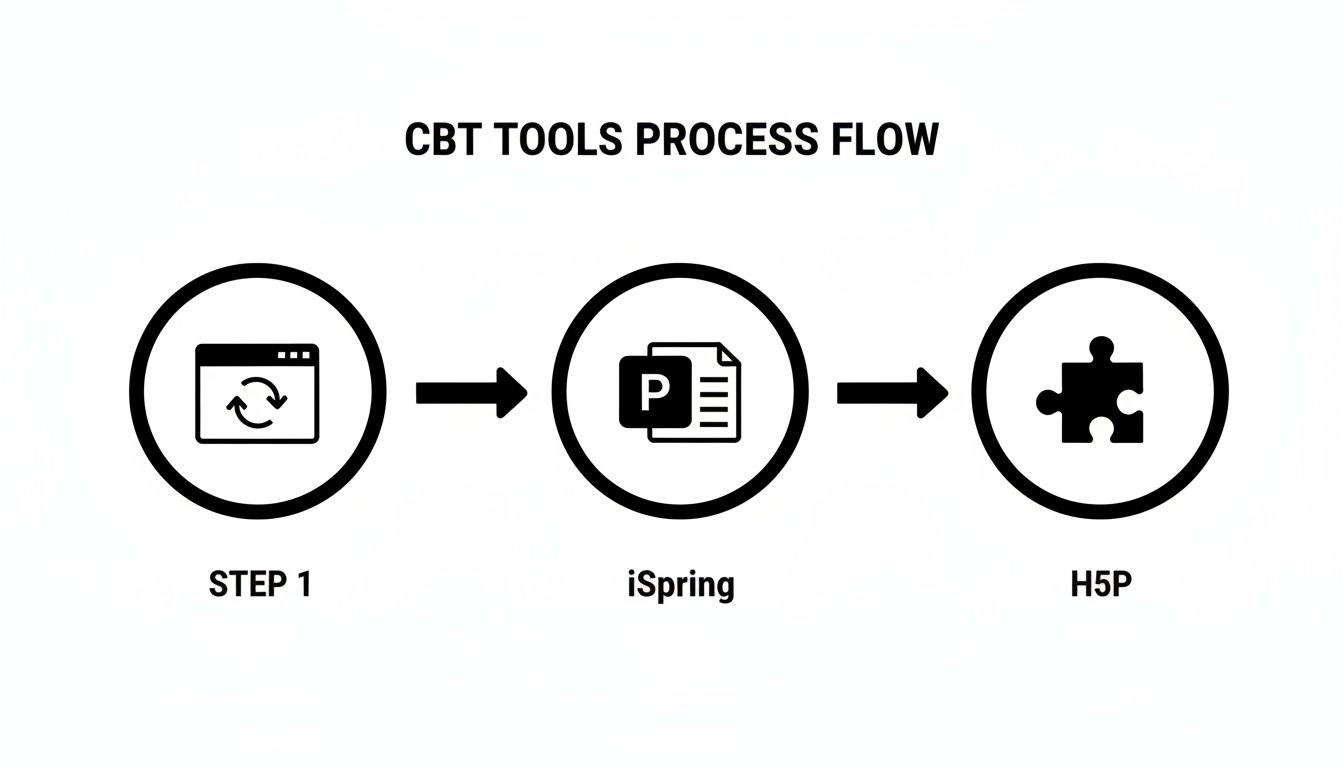
The real takeaway here is flexibility. You can start with the tool that makes the most sense for the content you have—whether it's a brand new interactive module, an old slide deck, or a quick quiz—and then bring everything together inside your LMS. This modular way of thinking is fundamental to modern computer-based training. If you want to see how this comes together, our guide on using a drag-and-drop curriculum builder shows exactly how to arrange these pieces into a cohesive course.
Overcoming the Mobile Challenge
One of the biggest headaches in CBT has always been making it work on phones. Early on, some of my drag-and-drop activities didn't work well on mobile, causing frustration and lower completion rates. Nothing frustrates a learner faster.
The answer is to adopt a mobile-first mindset from the very beginning.
The biggest challenge was ensuring a consistent experience across devices. I solved it by switching to fully responsive authoring tools, testing every module on multiple devices, and simplifying complex interactions for mobile. Now, over 60% of my learners access CBT on mobile without issues, and completion rates have improved noticeably.
By thinking about the mobile experience from day one, you avoid the painful trap of creating training that half your audience can't use properly. This means you should:
- Use authoring tools built for responsiveness, like Articulate Rise 360.
- Simplify complex interactions for mobile — for example, replacing some drag-and-drop with tap-to-select options.
- Only as a last resort, add a note like, “Best viewed on desktop for full simulation.” But try to avoid this unless an activity is simply impossible to adapt.
Follow these steps, and you’ll be well on your way to creating professional computer-based training that is not only smart and effective but also works beautifully for every single learner, no matter where they are.
How to Drive Engagement with Scenarios and Quizzes

Let's be honest. We've all sat through training modules, watched the videos, read the text, and then promptly forgot most of it. That’s because passive learning just doesn't stick. The real magic happens when you shift from showing to doing.
To create computer based training that actually changes how people think and act, you need to pull them into the material with interactive scenarios and targeted quizzes. It’s like learning to swim—you can read about buoyancy all day, but you won't get far until you jump in the water. These interactive elements are your learner's swimming pool.
The Power of “What Would You Do?” Scenarios
This is where your training comes alive. Instead of just describing what a phishing email looks like, drop your learners into a simulated inbox and ask them what they'd do with a suspicious message. This kind of hands-on, "what-if" practice forces them to stop and think, making the lesson far more memorable.
It’s not just a hunch; the results are dramatic. In the Cybersecurity Awareness course I ran, the difference was night and day.
Modules with realistic “What would you do?” simulations (phishing email scenarios, password breach decisions) saw 3x higher engagement (more time spent and repeat visits) than plain video + quiz modules. That practical application is what makes computer based training feel less like a lecture and more like a tool for their actual job.
These scenarios close the gap between knowing something and knowing what to do with that knowledge under pressure. Learners told me the hands-on scenarios helped them actually apply the concepts at work, which is the ultimate goal.
Boosting Scores with Immediate Feedback Quizzes
Quizzes are more than just a way to check a box. They are incredible learning tools, but only if you give immediate, meaningful feedback. A simple “Correct” or “Incorrect” is a massive missed opportunity.
The best feedback explains why an answer was right or wrong, reinforcing the core concept right when the learner is most focused on it. In that same cybersecurity course, adding immediate feedback quizzes after every major section boosted quiz scores by 22% and reduced drop-offs in the middle of the course.
If you really want to push the envelope, you can explore techniques like integrating conversational AI voicebots for dynamic learning to create hyper-realistic, voice-driven scenarios where learners have to talk their way through a problem.
By weaving these elements together, you create a powerful and effective learning loop:
- Introduce a Concept: Start with a clear video or a short article.
- Simulate a Scenario: Put the learner in a situation where they have to apply that concept.
- Check Understanding: Use a quiz with detailed, immediate feedback to lock in the lesson.
This simple flow is what takes computer based training from a passive experience to an active one, which is the only way to build skills that last.
Measuring the Success of Your Training Program
So you’ve built and launched your computer-based training program. Now for the million-dollar question: did it actually work? It’s easy to get caught up in surface-level numbers like how many people enrolled, but those don't tell you the whole story.
To prove your training made a real difference, you need to dig deeper. We’re talking about tracking genuine changes in knowledge, behavior, and even how people felt about the experience. Without that data, you're flying blind, unable to show stakeholders the true value of your work or make smart decisions for the next course you build.
Key Metrics from a Real-World CBT Program
Let’s move from theory to reality. Here are real results from a recent "Cybersecurity Awareness" CBT program I ran for small businesses (about 450 learners). The program ran entirely as self-paced CBT and showed clear improvement over earlier lecture-only versions.
The results speak for themselves. The program hit an 87% completion rate, which is much higher than the typical 60–70% for standard e-learning. But completion is just the start. The average final quiz score was 91%, and even more importantly, a follow-up test 30 days later showed an 84% knowledge retention rate. That’s the real proof of learning.
Looking at engagement, the average time spent was 2.8 hours per learner (the course was designed for 3 hours, so very little skipping). This tells us people were genuinely working through the material, not just clicking “next” to get it over with. To top it off, the learner satisfaction score (NPS) came in at 8.9 out of 10, with learners especially praising the interactive scenarios.
Key Takeaway: The ultimate goal of computer-based training is not just to transfer information, but to drive lasting knowledge retention and skill application. A high quiz score is good, but a high retention score a month later is proof of real learning.
A Blueprint for Measuring Your Own Success
The success of that cybersecurity program wasn't a fluke. It was the direct result of tracking the right things. You can—and should—use a similar framework for your own CBT projects.
To give you a clearer picture, I've organized the key metrics from that case study into a table. It breaks down what each number actually means and why it's worth tracking.
Cybersecurity Awareness CBT Program Performance Metrics
Here’s a look at the real-world results from that self-paced program for 450 learners, showing how interactive design drives measurable impact.
| Metric | Result | Key Takeaway |
|---|---|---|
| Completion Rate | 87% | A high completion rate suggests the content is engaging, relevant, and well-paced, keeping learners motivated from start to finish. |
| Average Quiz Score | 91% | This indicates that learners are not only consuming the material but are also understanding and absorbing the key concepts presented. |
| Knowledge Retention | 84% (after 30 days) | This is the gold standard. It proves the training created long-term memory and wasn't just a short-term information dump. |
| Time Spent | Average 2.8 hours | When learners spend close to the designed time, it shows they are actively participating rather than just clicking through to the end. |
| Satisfaction (NPS) | 8.9 / 10 | This qualitative metric confirms that learners found the experience valuable, enjoyable, and respected their time. |
By tracking this blend of hard numbers and human feedback, you get a complete picture of your program's impact. This is how you shift the conversation from "Did they finish it?" to "Did it make a difference?"—the question everyone, from your learners to your CEO, really wants answered.
Delivering and Scaling CBT with an LMS
So, you've designed a brilliant piece of computer-based training. That's a huge step, but the job isn't done. The next, and arguably most important, question is: how do you get it to your learners and manage the entire experience? This is exactly where a Learning Management System (LMS) steps in. It serves as the operational backbone for your entire training program.
An LMS gives your carefully built modules a place to live and a system to run on. It’s what handles the delivery, tracks who has done what, and lets you grow from training a small team to tens of thousands of people without getting lost in spreadsheets and manual emails.
The LMS as Your Central Command
A great way to think about this is to see your SCORM package as a single, polished lesson. An LMS, like Mentor LMS, is the digital schoolhouse where you arrange all those individual lessons into a complete and logical curriculum. It provides the structure and automation to manage the learner's entire journey.
This is what makes modern computer-based training so powerful. For example, an LMS lets you:
- Deploy Content Instantly: Simply upload your SCORM modules and organize them using a straightforward drag-and-drop course builder.
- Automate Assessments: Run quizzes and exams that are graded on the spot, giving learners immediate feedback so they know where they stand.
- Issue Certificates: Automatically generate and deliver completion certificates, giving learners a real sense of accomplishment and a formal record of their new skills.
These features make a world of difference. A solo entrepreneur can run a fully automated online course business, while a large corporation can deploy and track mandatory compliance training across its global workforce with minimal administrative effort.
From Content Creation to Scalable Delivery
Your job isn't finished when you export a module from your authoring tool. In fact, that's where the logistics begin. The true value of computer-based training is realized when you connect that content to a solid delivery platform. This is where a system like Mentor LMS truly proves its worth.
You can do all the creative work in specialized tools like Articulate Rise 360 or iSpring Suite, where you can build beautiful, interactive modules. Once they're ready, you upload those finished SCORM packages into the LMS. From there, the LMS takes over, handling all the heavy lifting of enrollment, progress tracking, and reporting.
An LMS provides the control and efficiency that was the original promise of CBT. By centralizing deployment and tracking, it transforms individual training modules into a cohesive, scalable, and measurable educational program.
This setup offers the best of both worlds. You get the creative freedom of purpose-built authoring tools and the organizational might of a dedicated management system. You can pour your energy into creating amazing content, knowing the LMS has the logistics covered. Understanding what an LMS is and how it works is the key to scaling any training initiative.
By pairing powerful authoring tools with a flexible LMS, you build a seamless pipeline from concept to completion. This is how you deliver consistent, high-impact computer-based training to anyone, anywhere, and at any scale.
Answering Your Top CBT Questions
As you start mapping out your own training program, you're bound to run into a few common questions. I see them come up all the time. Getting these sorted out early on will give you the confidence to build something truly effective right from the start.
What Tools Should I Use to Create CBT?
You might be picturing a massive, complicated software suite, but my workflow is simple, fast, and effective so I can focus on content rather than fighting with complicated software.
My main tools are:
- Articulate Rise 360: My go-to for most interactive CBT modules. It’s cloud-based, mobile-responsive by default, and makes it super easy to add quizzes, drag-and-drop activities, and scenario-based branching.
- iSpring Suite: Great when I need to convert existing PowerPoint slides into rich, SCORM-compliant CBT with voiceovers, quizzes, and simple simulations.
- Mentor LMS built-in tools + H5P: For quick additions like interactive videos or timelines directly inside the LMS.
The most common path is to build the core learning experience in Rise or iSpring, export it as a SCORM package, and then upload that file into your LMS. The LMS then handles the delivery, tracking, and reporting.
Which CBT Features Have the Biggest Impact?
Quizzes are essential for checking understanding, but interactive simulations and scenario-based branching are what make CBT feel real and memorable. They had the biggest impact by far in my experience.
In the same Cybersecurity course, modules with realistic “What would you do?” simulations (phishing email scenarios, password breach decisions) saw 3x higher engagement (more time spent and repeat visits) than plain video + quiz modules. Adding immediate feedback quizzes after every major section also boosted quiz scores by 22%.
Learners told me the hands-on scenarios helped them actually apply the concepts at work, which is the ultimate goal of computer-based training.
How Do You Handle CBT on Different Devices?
This is a big one. The biggest challenge was ensuring a consistent experience across desktops, tablets, and mobile phones, especially with interactive elements breaking on smaller screens. Early on, some drag-and-drop activities didn't work well on mobile, causing frustration.
Here’s how I solved it:
- Build with a Responsive Tool: I switched to fully responsive authoring tools like Articulate Rise 360, which is excellent for this.
- Test Everywhere: I test every module on multiple devices (Chrome, Safari, iPhone, Android) before publishing.
- Simplify for Small Screens: I simplify complex interactions for mobile — for example, replacing some drag-and-drop with tap-to-select or multiple-choice options.
- Add Instructions as a Last Resort: I add clear instructions like “Best viewed on desktop for full simulation” only when absolutely necessary.
Now, over 60% of my learners access CBT on mobile without issues, and overall completion rates improved noticeably.
Ready to launch your own professional training platform? With Mentor LMS, you can build, sell, and manage your courses with a powerful, self-hosted system. Get lifetime ownership with a one-time purchase and say goodbye to monthly fees forever. Explore Mentor LMS and start building your course empire today!